If you’re running a small business, you know that your contacts are your lifeblood. But where does all that crucial information live? Is a key prospect’s phone number jotted on a sticky note? Is a loyal customer’s history buried deep in your inbox? Or is it all locked away in a spreadsheet that only one person knows how to update?
When your contact information is scattered, you’re not just disorganized, you're leaving money on the table. This is where contact management software comes in, acting as a central hub for every prospect, lead, and customer. Think of it as a shared, searchable address book with the history of every conversation, so no opportunity gets lost in the shuffle.
Last updated: 14 November 2026.
What Is Contact Management and Why Does It Matter?

Let's get real for a moment. Your network is your most valuable business asset. When that asset is spread across a dozen different, disconnected places, you create problems for yourself. You waste time hunting for a phone number, you forget important details from a previous conversation, and promising leads quietly slip away.
At its heartcontact management is simply the practice of systematically organizing all the information and interactions tied to your contacts. The goal is to create a single, reliable source of truth that your entire team can depend on.
The Problem with Manual Methods
For a lot of small businesses just starting out, a combination of spreadsheets, email folders, and maybe even a physical notebook feels like enough. And for a while, it might be. But as you grow, this manual approach quickly becomes a bottleneck.
- Lost Information: Details from a quick phone call or a personal note shared in a meeting can easily vanish, making your next follow-up feel generic and disconnected.
- Wasted Time: Your team ends up spending precious hours digging for basic information instead of doing what they do best, selling, marketing, and supporting your customers.
- No Team Visibility: If all the context about a lead lives in one person’s head or inbox, collaboration grinds to a halt. No one else knows the status of a deal or the history of a customer relationship, leading to embarrassing mix-ups.
This kind of chaos doesn't just slow you down; it actively undermines your ability to build the strong, lasting relationships that a small business thrives on.
Think of it this way: using a dedicated contact management tool is like upgrading from a messy desk drawer to a perfectly organized, cross-referenced filing cabinet. Everything is exactly where it should be, and anyone with the right key can find what they need in seconds.
The Shift to a Centralized System
A dedicated contact management software for small business brings order to this chaos by giving you a central command center for all your relationships. It’s far more than a simple list of names and numbers. While it shares some features with larger platforms, it's specifically built for the needs of a smaller team. You can learn more about customer relationship management basics to see how these tools fit into the bigger picture.
This kind of software automatically logs every touchpoint, emails, calls, meetings, and links it to the correct contact record. Suddenly, you have a complete, chronological history of every relationship at your fingertips. This empowers your team to have smarter conversations, build real trust, and ensure that no valuable lead ever falls through the cracks again. It’s the foundation for repeatable, scalable growth.
Core Features Your Small Business Actually Needs
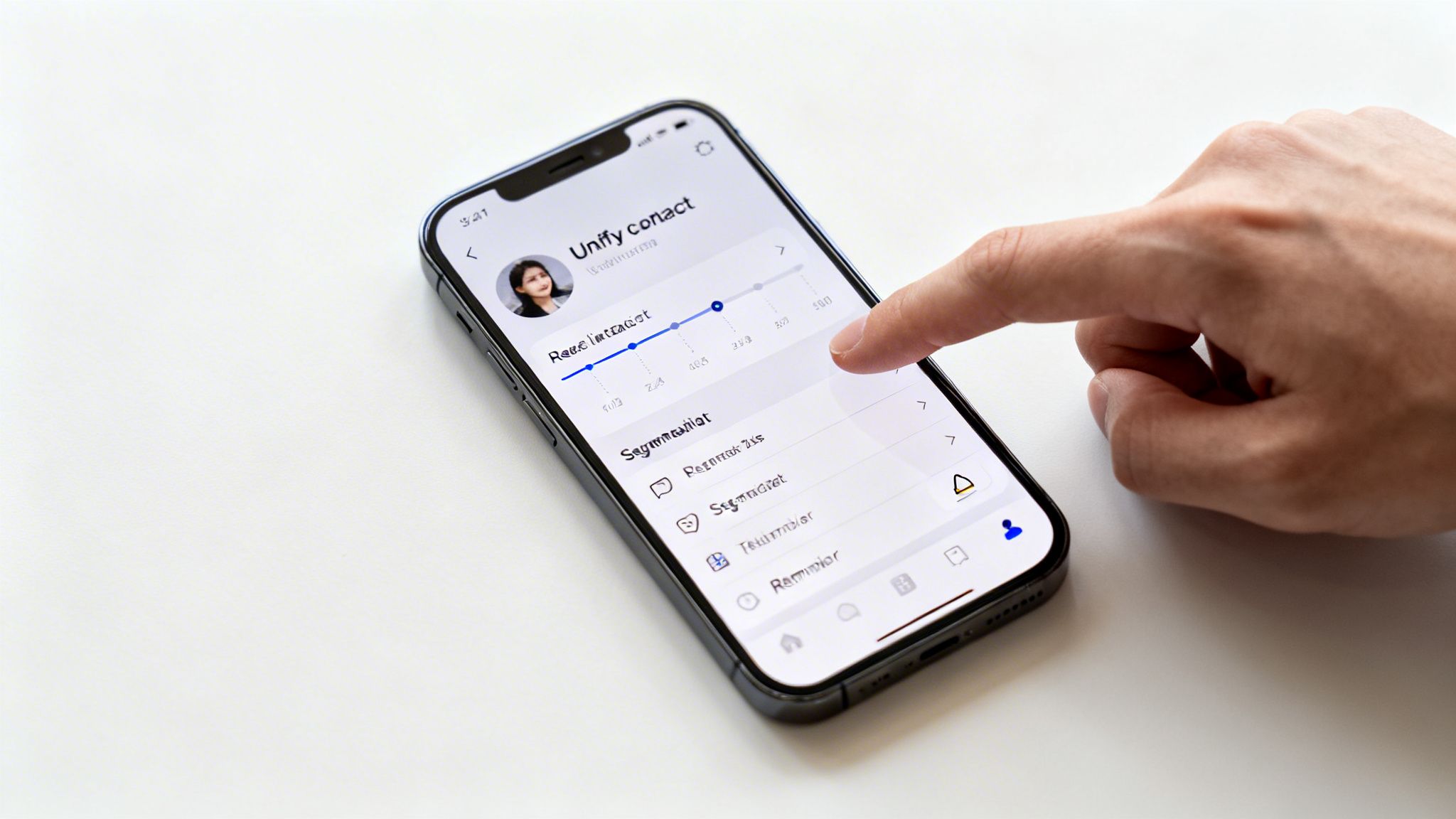
When you start looking at contact management software, the feature lists can be dizzying. It’s easy to get lost in technical jargon. Let's cut through the noise and focus on what you, as a small business owner, will actually use to build better relationships and grow your company.
Think of these as the non-negotiables. They're the core functions that turn a glorified digital address book into a real business asset.
Unified Contact Profiles
First and foremost, you need a single source of truth for every contact. This is the unified contact profile, and it's the foundation of everything else. It’s much more than just a name, email, and phone number.
A great profile is a living history of your relationship. Imagine clicking on a customer's name and seeing every email you've ever sent them, every note from past calls, every meeting on the calendar, and even their purchase history, all in one place. That’s the 360-degree view you’re after.
This changes how your team works. It means anyone on your team can jump into a conversation with full context, making your customer feel seen and valued. No more digging through old emails or shouting across the office, "Hey, did you ever hear back from Sarah?"
Task Management and Reminders
Running a small business means juggling a million things at once. That's why built-in task management is so critical. It’s your safety net. A good system lets you create tasks and reminders directly on a contact's profile.
For instance, after a great call with a new lead, you can immediately create a task to follow up in three days. The software will remind you, so that opportunity doesn't get buried under a pile of other to-dos. It's about taking the mental load off your plate.
This simple feature helps you:
- Never miss a follow-up: Keep conversations moving and leads warm.
- Stay organized: See a clear list of what needs to be done and for whom.
- Build a reliable process: Create consistency in how you nurture relationships, which leads to more predictable growth.
This is what prevents valuable connections from slipping through the cracks.
Contact Segmentation
Contact segmentation might sound technical, but the idea is simple and incredibly powerful. It’s just the ability to group your contacts based on shared traits. Think of it like creating smart folders for your audience.
For example, you could instantly pull up a list of all clients in a specific industry, prospects who downloaded your latest e-book, or customers who haven't purchased anything in the last six months.
This is where you move beyond generic, one-size-fits-all emails. By grouping contacts, you can send targeted offers, relevant newsletters, and personalized messages that actually mean something to them. The result is almost always higher engagement and better results.
Mobile Accessibility
Your work doesn't stop when you step away from your computer, so your contact manager shouldn't either. Mobile access, whether through a dedicated app or a great mobile website, is an absolute must.
You might be at a trade show, meeting a client for coffee, or just catching up on work from home. Being able to pull up a contact's details, add notes from a meeting while they're still fresh in your mind, or update a deal's status on the spot is essential.
This keeps your central database accurate in real-time and ensures you can be productive no matter where you are.
Essential vs. Nice-to-Have Features
When you're just starting, it's crucial to distinguish between what you absolutely need and what can wait. Focusing on the essentials saves you money and complexity, while keeping an eye on the "nice-to-haves" helps you choose a tool that can grow with you.
This table breaks down the key features to help you prioritize.
| Feature Category | Essential for Startups | Nice-to-Have for Growth | Key Business Benefit |
|---|---|---|---|
| Contact Data | Unified profiles, activity history, custom fields | Lead scoring, data enrichment | Provides a 360-degree view of every relationship. |
| Communication | Email integration, templates | Email marketing automation, SMS integration | Ensures all conversations are tracked and consistent. |
| Task Management | Task creation, reminders, deadlines | Automated task workflows, team assignments | Prevents leads from falling through the cracks. |
| Organization | Basic segmentation (tags, lists) | Advanced, rule-based segmentation | Allows for personalized and targeted communication. |
| Reporting | Basic activity reports | Customizable dashboards, sales forecasting | Shows what's working and where to focus your efforts. |
| Accessibility | Mobile app / mobile-friendly site | Offline access | Enables you to manage contacts from anywhere. |
Ultimately, the goal is to find a system that solves today's problems without creating tomorrow's headaches. Start with the essentials, but choose a platform that has a clear path toward the features you'll need as you scale.
The Real Benefits Beyond Just an Organized Address Book
If you think of contact management software as just a fancy digital Rolodex, you’re missing the bigger picture. Getting organized is a great start, but the real power comes from how this tool can turn your daily grind into a well-oiled growth machine. It’s the difference between simply storing information and actively using it to make smarter decisions and build stronger relationships.
Think about all the time your team wastes on manual tasks. Hunting for a phone number, logging a call, trying to piece together the last conversation with a prospect, it all adds up. A contact management software for small business gives you those hours back. A good chunk of a salesperson's day is often eaten up by tasks that don't generate any revenue. By automating data entry and keeping communications in one place, your team can finally focus on what they do best: talking to people and closing deals.
This isn't just about being more efficient. It's about being more effective.
From Disorganized Data to Actionable Insight
Let's imagine a local graphic design studio. They're trying to track leads from their website, referrals from happy clients, and new contacts from networking events. Everything is scattered across messy spreadsheets. Follow-ups are sporadic, and a huge lead for a branding project goes cold simply because no one remembered to call back. Sound familiar?
Now, picture that same studio with a proper contact management system. A new website lead automatically pops into the system, and a task is instantly assigned to a designer for a 24-hour follow-up. Every single email and phone call gets logged right there on the contact's profile. Suddenly, the team has a complete history. They can see what the lead is interested in, tailor their pitch, and ultimately, they win the project. That's the tangible difference a central hub makes.
Personalization at Scale
One of the most powerful things a contact manager does is let you personalize your communication without having to write every single email from scratch. Using segmentation, you can group contacts by their interests, where they live, or what they've bought from you before. This lets you send messages that are actually relevant.
For example, a small e-commerce shop could create a group of customers who all bought the same product. A few weeks later, they can send a targeted email offering a discount on a related item. That kind of CDW alternatives feels helpful, not spammy, and it dramatically increases the odds of a repeat purchase. You're no longer just shouting into the void; you're having a real conversation.
- Improved Customer Loyalty: When customers feel like you "get" them, they stick around. Tracking their preferences and past interactions helps you deliver a great experience every time.
- Reduced Customer Churn: By keeping an eye on communication history, you can spot customers who might be slipping away and re-engage them before they're gone.
- Increased Sales Opportunities: A full view of a customer's history can uncover chances to cross-sell or upsell that you would have completely missed otherwise.
Data-Driven Decision Making
At the end of the daycontact management software for small business gives you the hard data you need to steer your business with confidence. Instead of relying on gut feelings, you can see clear patterns in customer behavior, your sales cycle, and how well your marketing is working. This data is your foundation. If you want to take it a step further and improve the records you already have, our guide on what data enrichment is and how it works is a great place to start.
With solid data, you can finally answer critical questions like:
- Where are our best leads really coming from?
- How long does it typically take us to close a deal?
- Which marketing emails are people actually opening and clicking?
Getting these answers helps you double down on what’s working and fix what isn’t. It gets your sales and marketing teams on the same page, creating a smooth customer journey that brings in more revenue and builds a loyal customer base.
Contact Management Tools Small Businesses Start With
Most small businesses pick from three kinds of tools. Check each vendor’s current plans before you commit, because limits and prices change often.
- A simple CRM with a no-cost tier: HubSpot’s CRM, Bigin by Zoho and Capsule cover contact records, notes, tasks and a basic pipeline for a small team.
- A contact manager inside your inbox: Streak (inside Gmail) and Copper (inside Google Workspace) suit teams that live in email and want almost no setup.
- A sales-first CRM: Pipedrive and Close fit teams where contacts turn into deals and calls every day.
For side-by-side features and pricing, see our list of the best contact management software and our comparison of CRM tools for startups.
How to Choose the Right Software Without Overspending
For a small business, every dollar counts. So when you're looking for a contact management software for small business, it’s easy to get lost in a sea of confusing pricing plans and features you might not even need. Let's cut through the noise and figure out how to find the right tool without breaking the bank.
The real goal isn't just to find the cheapest option. It’s to find the one that gives you the best return for your money. That means looking past the advertised monthly price to understand what you'll actually be paying.
Understanding Common Pricing Structures
Most software companies price their products in just a few ways. Once you get the hang of these models, you can see which one fits your business, and your budget, the best.
Per-User, Per-Month: This is the most straightforward model. You pay a flat fee for each person on your team who needs access. It's predictable, but be aware that the costs can add up quickly as your team grows.
Tiered Plans: Here, you’ll see options like Basic, Pro, and Enterprise, each with a different set of features. This lets you start small and pay for more as you need it. The catch? You might outgrow a lower tier and face a big price jump just to get one or two extra features.
Freemium Models: A "free forever" plan can be a fantastic way to get started with zero upfront cost. Just pay close attention to the limitations, they often cap the number of contacts, users, or key features, and you can hit those limits faster than you think.
The trick is to line these pricing models up with your business's reality. Don't just ask, "How much does it cost?" Instead, ask, "How much will this cost my team, with our needs, over the next year?"
Looking Beyond the Sticker Price
That low monthly fee you see on a pricing page is rarely the whole story. A plan might look like a great deal until you realize a critical function is locked away in a more expensive package. To avoid any nasty surprises, you have to dig a bit deeper.
When you're sizing up your options, a detailed help desk software comparison can give you a broader view of the market, helping you see how different platforms package their features and plans.
To nail down the true cost, always ask these questions before you sign up:
- What’s the total cost for my entire team? Don't get hooked by a low single-user price. Do the math for everyone who needs access, both today and six months from now.
- Are there setup or onboarding fees? Some companies charge a one-time fee to get you up and running.
- Does support cost extra? Basic email support is usually included, but getting someone on the phone might come at a premium.
- Are there limits on contacts or data storage? Going over these limits can automatically bump you into a more expensive plan.
- What's the real cost of integrations? Make sure connecting to your essential tools, like your email marketing platform or calendar, doesn't force you into a pricier tier.
Taking the time to ask these questions is how you avoid paying for a tool your team outgrows or never uses. Choose one that fits your budget and how you actually work. The right contact management software for small business should feel like a partner that helps you grow, not an expense that holds you back.
A Simple Guide to Implementing Your New Software
Bringing new technology into your business can feel like a massive undertaking, but it really doesn't have to be a headache. The best way to think about it is like moving into a new, perfectly organized office. A little planning before you unpack makes sure everything has a home, letting you be productive from the moment you walk in the door.
This guide will walk you through a few manageable stages to get your new system up and running smoothly. We’ll cover everything from getting your contact data ready for a fresh start to making sure your whole team is excited to use the new tool. Nailing this process sets you up for a successful launch and a fast return on your investment.
Step 1: Start with a Clean Slate
Before you import a single contact, you have to clean up your existing data. I can't stress this enough, it's the most critical step in the entire process. Importing messy, outdated, or duplicate information is like hauling boxes of junk into your pristine new office. It just creates clutter and completely defeats the purpose of getting organized in the first place.
First, round up all your contacts from wherever they're hiding, old spreadsheets, email accounts, maybe even a stack of business cards on your desk. The goal is to get everything into one master list.
Once you’ve got it all together, roll up your sleeves and focus on these cleaning tasks:
- Remove Duplicates: Hunt down and merge any identical entries. This alone will save you a ton of confusion down the road.
- Standardize Formatting: Make sure all your names, addresses, and phone numbers follow the same consistent format.
- Update Information: Ditch contacts that are no longer relevant and refresh any details you know are out of date.
This initial tidying-up ensures your new contact management software for small business starts out as a sharp, reliable tool, not a digital junk drawer.
Step 2: Enrich and Import Your Data
With your contact list now clean and standardized, it’s time to bring it to life. This is where data enrichment earns its place. Just having names and emails is fine, but enriching that data with more context turns a simple list into an incredibly valuable business asset.
The right tools here can save you countless hours of manual work. A tool like Scalelist takes a CSV with first name, last name and company and returns verified work emails and mobile numbers for the whole file, charged only when something is found (1 credit per email, 10 per mobile). Every email is labelled Valid or Risky before you import it, so the data you bring in is complete as well as organized.
Here’s a simple visual for how you should approach selecting and implementing your new software.
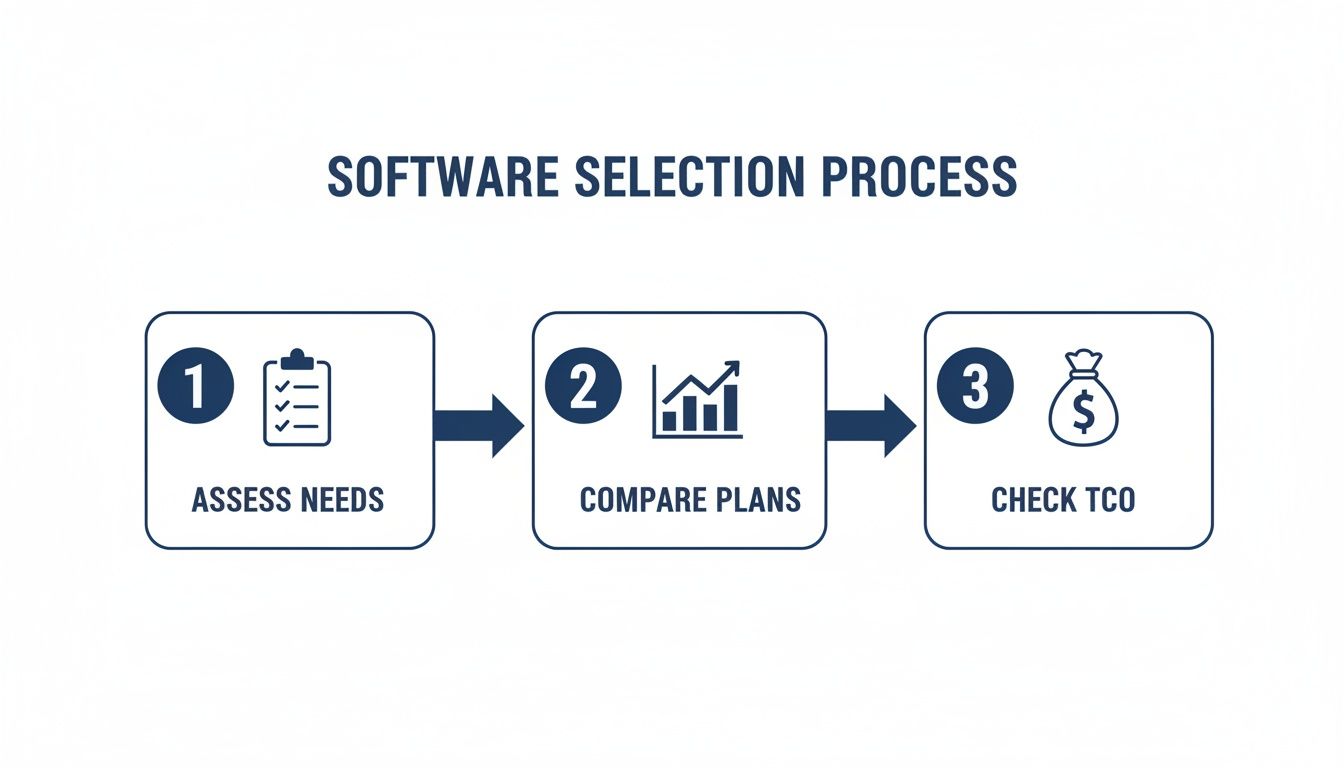
As you can see, after you figure out what you need, you have to look closely at the plans and the total cost of ownership before you start the implementation process.
Once your data is enriched, you're finally ready for the import. Most modern software makes this pretty straightforward, usually involving a simple CSV file upload. Just be sure to pay close attention to mapping your fields correctly, making sure the "First Name" column in your spreadsheet lines up with the "First Name" field in the software. A few extra seconds here can prevent major headaches later.
Just remember the golden rule: the quality of the information you put into your contact manager directly determines the quality of the results you get out. Garbage in, garbage out. High-quality, enriched data is the fuel for effective sales and marketing.
Step 3: Train Your Team for Success
You can pick the absolute best tool on the market, but it's worthless if your team doesn't know how to use it, or worsewhy they should. True success comes from thoughtful training and clear communication. Just sending out an invite link and hoping for the best is a recipe for failure.
Schedule a dedicated training session to walk everyone through the new system. Your goal is to show them how to perform the core tasks they'll be handling every single day.
During your training, make sure you hit these key points:
- The "Why": Kick things off by explaining exactly how this new tool will make their jobs easier and help the business hit its goals. Connect it directly to their world.
- Core Workflows: Give a hands-on demonstration of how to add a new contact, log activities like calls and emails, and set follow-up reminders.
- Best Practices: Establish some simple ground rules for data entry. This keeps your system clean and consistent as the whole team starts using it.
Leave plenty of time for questions and let people get their hands dirty with some practice exercises. By investing just a little time in proper training, you ensure the software becomes a natural part of your team's daily routine, driving real productivity and collaboration from day one.
Integrating Your Tools for a Unified Workflow
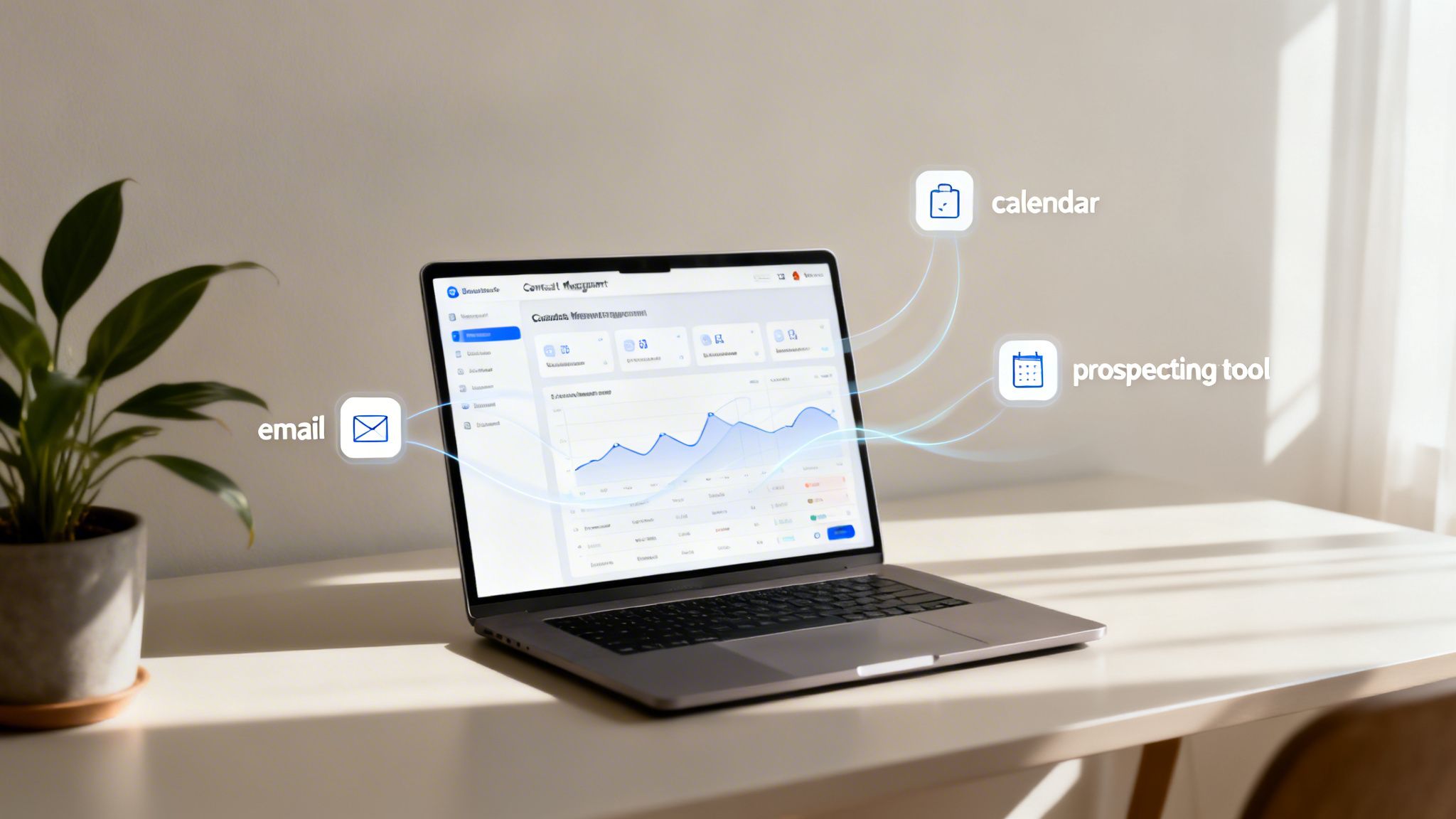
Your contact management software should never be an island. The real magic happens when it connects with the other tools you rely on every day. Without those connections, you're just creating another data silo, forcing your team to manually copy and paste information, waste time, and risk costly mistakes.
Think of it this way: your email client is your communication hub, your calendar manages your time, and your prospecting tools find new opportunities. Integrations act as the bridges that let all these specialists talk to one another, creating one cohesive, intelligent system.
Creating a Central Nervous System for Your Business
When your contact management software for small business can talk to your other apps, it becomes the brain of your entire customer-facing operation. This creates a single source of truth, so everyone on your team is always looking at the same up-to-date information.
The impact is immediate. For instance, linking your email means every message you send or receive is automatically logged in the right contact’s profile. Just like that, you have a complete conversation history without lifting a finger.
A connected ecosystem stops crucial details from getting lost in different apps. It ensures that when you look up a contact, you see the full story, every email, meeting, and interaction, all in one place.
This kind of cohesion completely changes how you operate. For example, a well-built Clio Law Firm Website shows how tying client intake forms directly to a CRM creates a smooth journey. Every new inquiry from the site instantly populates as a structured lead, ready for follow-up.
Powerful Automation Through Smart Connections
Integrations are what make real automation possible that can give your small business a huge advantage. By connecting your tools, you can build workflows that handle the grunt work for you, making sure no opportunity ever falls through the cracks.
Here are a few of the most powerful connections you can make:
- Email Marketing Platforms: Link up with tools like Mailchimp or Campaign Monitor to sync your contact lists automatically. This lets you segment your audience for targeted campaigns using all the rich data in your contact manager, like lead status or past purchases.
- Calendar Applications: Connecting your Google Calendar or Outlook is a no-brainer. When you book a meeting, it appears on both your personal calendar and the contact's activity timeline, keeping everything perfectly aligned.
- Prospecting and Lead Generation Tools: This is where things get really efficient. When you use a tool to find new leads, a direct integration can instantly push that new contact, and all their data, right into your system.
Imagine finding a great lead on a company website. The old way involves manually copying their name, title, and company, then searching for an email. With a connected workflow, a prospecting tool such as the Scalelist Chrome extension finds and verifies their work email and mobile number, and you push the contact to HubSpot in one step.
This kind of automated flow doesn't just save time; it prevents data entry errors and gets hot leads into your pipeline faster. It frees your team from administrative chores so they can focus on what actually grows the business: building relationships and closing deals.
Frequently Asked Questions About Contact Management Software
Whenever I talk to small business owners about moving away from spreadsheets, the same few questions always come up. It's a big decision, so getting clear, straight answers is the only way to move forward. Here are the most common questions I hear when people are looking for a contact management software for small business.
What Is the Difference Between Contact Management and a Full CRM?
This is the big one. The simplest way to think about it is that contact management software is a specialized tool, while a full CRM is a multi-tool.
A contact manager is like a digital Rolodex on steroids. Its core mission is to give you a single, organized place for all your contacts and a complete history of every conversation, every call, email, and meeting. It’s built to solve the immediate problem of "Who are our people, and what did we last talk about?"
A full Customer Relationship Management (CRM) system does all that, but then bolts on a lot more. It adds tools for managing your entire sales pipeline, running marketing campaigns, and generating complex business reports. For a small business just trying to get its contacts in order, a dedicated contact manager is often the perfect first step. You get the organization you need without the complexity (and cost) of features you won't use yet.
Can I Start with a Freemium Contact Management Plan?
You absolutely can, and for many, it's the best way to start. Most vendors offer "freemium" plans that are genuinely free and perfect for solo operators or tiny teams dipping their toes in the water.
Of course, there are usually some trade-offs. You'll likely run into limits on:
- The number of contacts you can save.
- The number of users on your team.
- Access to advanced features like automation or specific integrations.
These free plans are a great, no-risk way to prove the concept to yourself and your team. You can experience the relief of a central system before committing any money. Once you outgrow the free plan, upgrading to a paid tier is usually a smooth process.
How Long Does It Take to Set Up New Software?
Getting the software itself up and running is surprisingly fast. For most modern tools, you can have your account created, team members invited, and basic settings configured in an afternoon.
The most time-consuming part of the process isn't the software itself, but rather preparing your data. A focused effort to clean, standardize, and import your existing contact list beforehand will make the entire transition much faster.
Don't underestimate that prep work. Time spent cleaning up your messy spreadsheets before you import them is what really pays off. It ensures your new, powerful system starts with a foundation of clean data, which means you'll see a return on your investment almost immediately.
What Is the Easiest Contact Manager for a Small Business?
The easiest one is the tool that sits where you already work. If your team lives in Gmail, an inbox-based tool such as Streak or Copper needs almost no setup. If you want a separate app, a simple CRM such as Capsule or Bigin by Zoho keeps contacts, notes and reminders in one place. Start with a few fields (name, company, email, phone, owner, last contact date) and add more only when you use them.
How Do I Add Missing Phone Numbers and Emails to My Contact List?
Export the list as a CSV with first name, last name and company, run it through an enrichment tool, then re-import it with the new columns mapped to the right fields. In Scalelist’s Mobile Finder a mobile number costs 10 credits and an email 1 credit, only when found, so missing records cost nothing. On the 500-credit plan at 29 USD a month, that is about 0.58 USD per mobile found.
Ready to build a pipeline of accurate, sales-ready leads? The right data is the foundation of any great contact management strategy. Scalelist is an AI Lead Finder: describe your ideal buyers in one sentence and get verified work emails and mobile numbers, ready to push to HubSpot or export as a CSV for any contact manager.