


Before you send a single connection request, you have to get your own house in order. Think of your LinkedIn profile less like a resume and more like a high-conversion landing page built specifically for your ideal customer. This playbook covers LinkedIn for prospecting from start to finish: the profile, search, connection messages, a follow-up cadence that adds email and phone, and the numbers to track.
Last updated: 14 November 2026.
This isn't just about looking professional; it's about making your outreach far more effective from the get-go. When a prospect clicks on your profile, every single element should speak to their problems and position you as someone who can actually help.
Build a Prospecting Foundation on LinkedIn
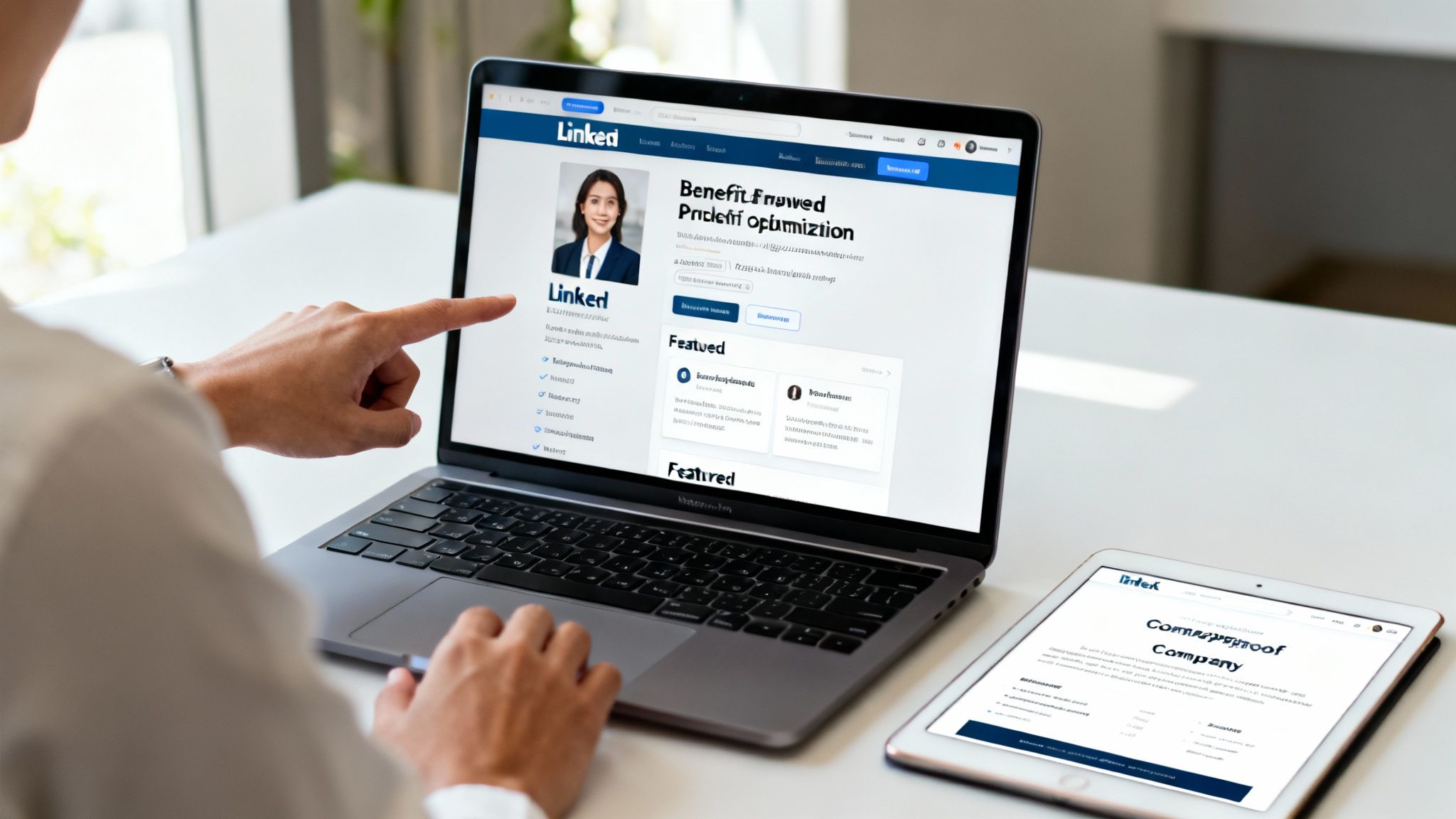
This initial setup is what separates genuine, professional engagement from the kind of outreach that gets instantly ignored. It’s the groundwork that makes everything else, from sending messages to booking meetings, infinitely easier.
A key part of this foundation is also knowing your next steps. Knowing how to find someone's work email is crucial for when you need to move a promising conversation into a more formal, multi-channel sales cadence.
Craft a Benefit-Driven Headline and Summary
Your headline is prime real estate. Don't waste it on a generic job title. Instead of "Sales Manager at XYZ Corp," try something that screams value, like "I Help B2B Tech Founders Cut Their Sales Cycle by 30%." See the difference? One is about you, the other is about them.
The "About" section is your chance to expand on that promise. Tell a story. Address your ideal customer’s biggest frustrations right away. Keep it scannable with short paragraphs and bullet points.
- Hook them immediately by calling out a common pain point.
- Briefly explain your process for solving it.
- Drop in some social proof, like a specific client result or a compelling stat.
- Finish with a soft call-to-action, like an invitation to connect.
"Your LinkedIn profile should answer a prospect's silent question: 'What's in it for me?' If every section reinforces the value you provide, you've already won half the battle."
Showcase Value with the Featured Section
The "Featured" section is your personal portfolio. Leaving it empty is a massive missed opportunity. Use it to post assets that prove you know what you’re talking about and give prospects a reason to stick around.
Here’s what works well:
- Case Studies: Show, don't just tell. Real-world success stories are gold.
- Blog Posts or Articles: Share your insights on industry challenges.
- Webinar Recordings: A great way to demonstrate your expertise in a dynamic format.
Getting this foundation right is non-negotiable. To really nail this, our comprehensive guide on LinkedIn profile optimization walks you through every step in detail.
To help you get started, here's a quick checklist to make sure your profile is ready for prime time.
Essential Profile Optimization Checklist
This table acts as a quick-reference guide. Run through it to ensure every part of your profile is working hard to attract and convert your ideal prospects.
| Profile Element | Optimization Goal | Actionable Tip |
|---|---|---|
| Profile Photo | Appear professional & approachable | Use a high-quality headshot with a clean background. |
| Banner Image | Reinforce your value proposition | Create a custom banner with a client-focused tagline. |
| Headline | Grab attention with a benefit | "Helping [ICP] achieve [Result] with [Your Solution]." |
| About Section | Tell a compelling story | Use a hook, social proof, and a clear call-to-action. |
| Featured Section | Provide tangible proof of value | Pin your best case study, article, or webinar. |
| Experience | Highlight relevant achievements | Describe past roles with quantifiable, results-driven bullets. |
| Skills & Endorsements | Build credibility | Feature skills directly related to your ICP's needs. |
| Recommendations | Offer third-party validation | Request recommendations from happy clients. |
Once you've checked these boxes, your profile transforms from a passive resume into an active prospecting tool, warming up leads before you even reach out.
Build High-Quality Prospect Lists with Advanced Search
You’ve turned your profile into a magnet. Now, it's time to go hunting. Just typing a job title into the main search bar is like throwing a single hook into the ocean and hoping for the best. The real magic happens when you use LinkedIn's advanced search filters to build hyper-targeted lists of people who actually match your Ideal Customer Profile (ICP).
This is the pivot from passive attraction to proactive, strategic outreach. Instead of waiting for the right people to stumble upon your profile, you're going to pinpoint them with surgical precision.
Go Beyond Basic Search Filters
To build a list that’s actually worth your time, you need to layer several search criteria that mirror the DNA of your best customers.
Don't just stop at "job title" and "industry." A truly effective search combines several data points to zero in on the right people.
- Keywords: This is your secret weapon. Search for specific technologies they use, skills they list, or responsibilities mentioned in their profile. For instance, searching for "sales automation" or "cloud security" can instantly surface high-intent leads.
- Company Headcount: Are you selling to scrappy startups or massive enterprises? This filter ensures you’re not wasting time on companies that are a bad fit.
- Seniority Level: This lets you slice through the noise and get straight to decision-makers like VPs, Directors, or C-suite execs. No more getting stuck with gatekeepers.
- Geography: Focus your efforts on the specific cities, states, or countries that align with your sales territories.
Searching LinkedIn by hand works for a few dozen accounts. For a whole market, Scalelist's AI Lead Finder lets you describe the same buyer in one sentence ("VPs of Marketing at US SaaS companies with 50 to 500 employees") and shows how many people match before you spend a credit.
Master Boolean Search for Precision
To take your targeting from good to great, you have to learn Boolean search. Think of these simple operators as commands that tell LinkedIn exactly who to show you and who to ignore. It's a non-negotiable skill for anyone serious about prospecting.
There are three main operators to know:
- AND: Narrows your search by combining terms. For example
("Sales Director" AND "SaaS")will only show you people who have both of those keywords in their profile. - OR: Broadens your search to include variations. A search like
("VP of Sales" OR "Head of Sales")is perfect for finding people with similar roles but different titles. - NOT: Excludes irrelevant results from your list. Using
("Marketing Director" NOT "Intern")is a quick way to filter out junior-level contacts.
A well-crafted Boolean search string is the difference between a list of 10,000 mediocre contacts and a list of 500 perfect-fit prospects. Precision beats volume every single time.
Keep Your Best Searches
Building the perfect search is a great first step, but rebuilding it from scratch every week wastes time. Once you’ve dialed in the right mix of criteria and Boolean commands, write the search string down in your playbook and rerun it on a fixed day each week.
New people move into your target roles all the time, so a weekly rerun keeps fresh, qualified prospects coming in while you focus on what you do best: building relationships and starting conversations.
Craft Outreach Messages That Actually Get Replies
Okay, so you've built a solid list of prospects. Now for the moment of truth: the outreach. This is where most people stumble. Firing off a generic, self-serving connection request is the fastest way to get ignored, or worse, flagged as spam. If you want to succeed with LinkedIn for prospecting, you have to stop pitching and start having actual conversations.
Your message needs to cut through the noise of a crowded inbox. That means doing a bit of homework to find a real, personalized reason to connect. The whole point is to make the prospect feel like you see them, not just another name on your quota sheet.
The Power of Personalization
Let's be clear: a blank connection request is a wasted opportunity. The data doesn't lie. A short personalized note gives the prospect a reason to accept, and it gives you an opening line for the conversation that follows. Test your send days and times too, and keep what your own acceptance and reply rates show.
So, what does good personalization actually look like? It's more than just dropping in {FirstName}.
- Shared Connections: "I see we both know John Smith from XYZ Corp." This is the easiest way to build instant credibility.
- Company News: "Huge congrats on the Series B funding! What an exciting time for your team." This shows you're paying attention.
- Their Content: "Your recent article on content marketing was spot-on, especially your point about.." This is pure gold. It proves you've engaged with their ideas.
Your first message should have nothing to do with you or your product. It has to be about them, their wins, their insights, their company's momentum. Lead with a genuine compliment or a smart question, and you’ll earn the right to a conversation.
This is all fueled by the search work you did earlier.
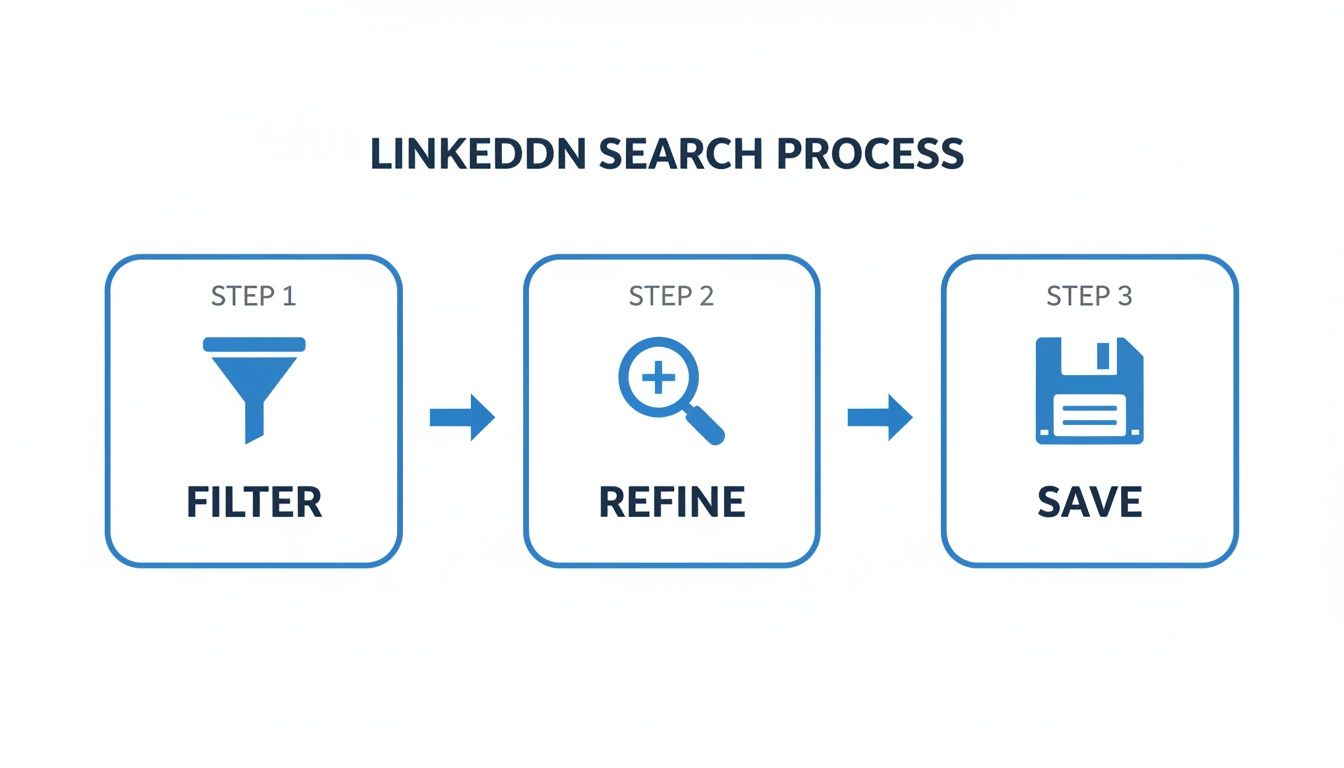
That simple flow, Filter, Refine, and Save, is what gives you the raw material for these personalized messages. It makes your outreach both targeted and efficient.
From Weak to Powerful: A Real-World Example
Let's break down the difference with a practical scenario. Say you're trying to connect with a VP of Marketing at a fast-growing SaaS company.
The Weak Approach:
"Hi Sarah, I see you're the VP of Marketing at TechSolutions. I'd love to connect and tell you about how our tool can help you generate more leads."
This is all about the sender ("I'd love to tell you.."). It's generic, lazy, and screams "I am about to sell you something." It immediately puts Sarah on the defensive.
The Powerful Approach:
"Hi Sarah, I saw your recent post on the challenges of scaling B2B content, your point about repurposing webinars into micro-content was brilliant. It's a topic we've been exploring as well. Would be great to connect and follow your insights."
See the difference? This message is all about Sarah. It shows you’ve actually listened, offers a genuine (and specific) compliment, and finds common ground. The ask is to connect over a shared professional interest, not to sit through a demo. This is the kind of message that gets accepted and, more importantly, starts a real dialogue. This is the foundation of effective LinkedIn for prospecting.
Adding Email and Phone to Your LinkedIn Prospecting
So you've built hyper-targeted prospect lists. That's a huge win, but let's be real: LinkedIn is just the first step. It’s where you start the conversation, but the real work of moving a deal forward often happens over email and phone calls. To scale your outreach beyond connection requests and InMails, you have to take the conversation to more direct channels.
Why a LinkedIn Profile Alone Isn't Enough
If you're only relying on LinkedIn messaging, you're putting a hard cap on your success. A prospect's inbox is a crowded place, and it's all too easy for your message to get buried. Once you have their verified work email and mobile number, you can run a multi-touch sequence that actually keeps you on their radar.
And let's not forget your CRM. Feeding verified contact data into your system from the very beginning keeps your CRM a reliable source of truth. You can get a deeper understanding of how data enrichment provides a competitive edge for modern sales teams.
How Scalelist Fills the Gap
Scalelist is an AI Lead Finder that works alongside LinkedIn, not on top of it. Describe the people you are prospecting in one plain-English sentence, see what Scalelist understood and how many people match, then reveal verified work emails and mobile numbers only for the people you keep. If you already have names and companies in your CRM or from an event, upload the CSV and Scalelist finds the emails and mobiles for the whole file.
- Verified emails: every email is verified before it is returned and labelled Valid or Risky. 1 credit per email found.
- Direct mobiles: 10 credits per mobile found, through the Scalelist mobile finder. Nothing is charged when nothing is found.
- Ready for outreach: export CSV or Excel, push to HubSpot, or send to lemlist, Instantly, Smartlead, Woodpecker or Saleshandy.
The goal is simple: spend your time selling, not hunting for contact details. Use LinkedIn for the relationship and verified email and phone for the follow-through.
This is the critical handoff in your LinkedIn prospecting playbook, moving from a social platform to direct outreach. It’s how you take that initial flicker of interest and turn it into the meaningful sales conversations that actually lead to closed deals.
Crafting a Follow-Up Cadence That Actually Works
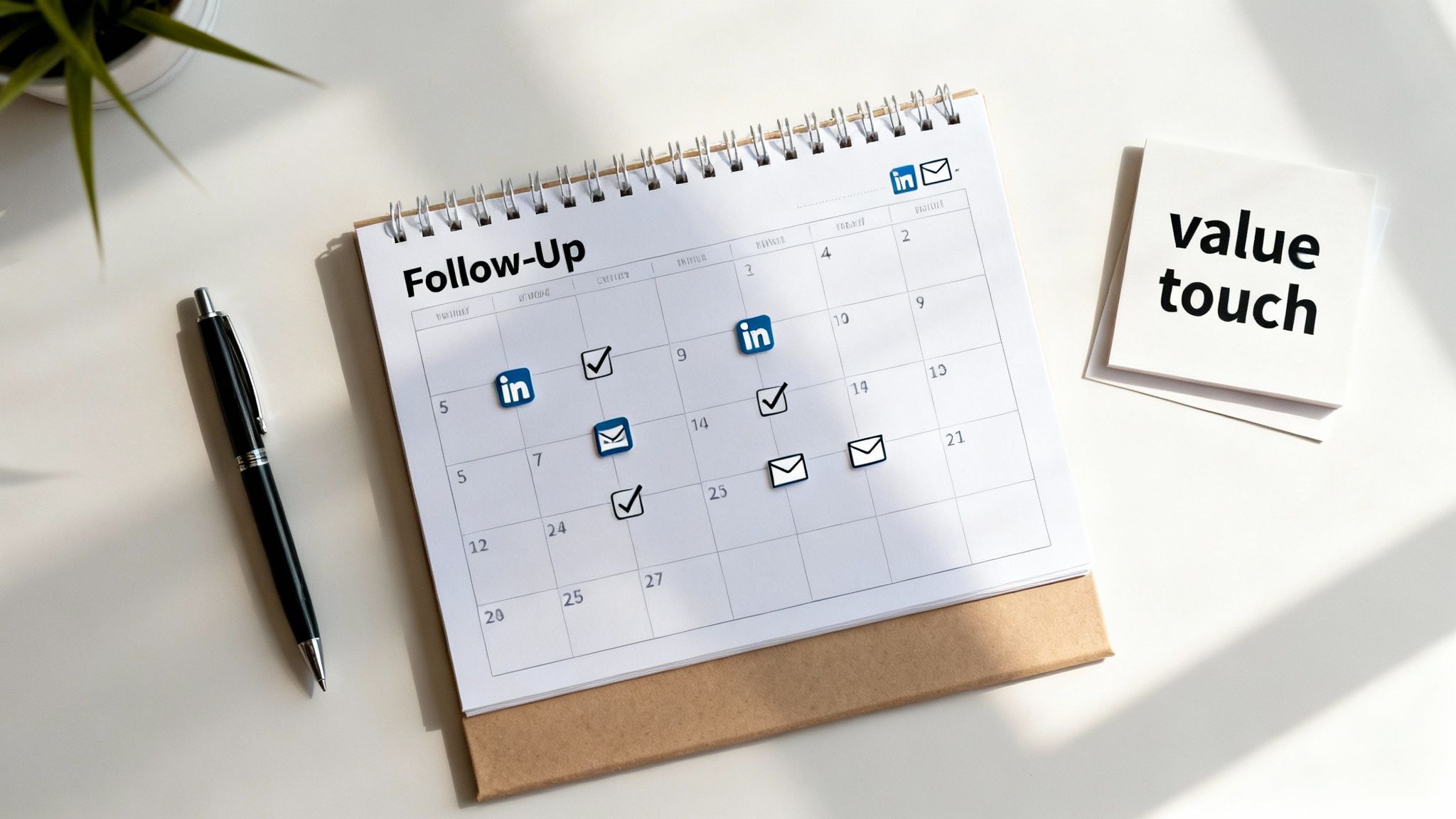
Let's be real: your first message is just the opening salvo. Most deals are won, or lost, in the follow-up. It's so easy for a single message to get buried in a busy inbox. A smart, persistent follow-up plan is what keeps you on a prospect's radar without being annoying.
This is where you really start to see the power of a multi-channel strategy. You've got their LinkedIn profile, and with the verified emails you grabbed from Scalelist, you can build a sequence that hits both fronts. It shows you’re serious and respects their time.
The golden rule? Ditch the "just checking in" messages. Every single time you reach out, you need to bring something new to the table. You want to be seen as a helpful resource, not just another sales rep chasing a quota.
Building Your Multi-Touch Sequence
A great follow-up cadence is a balancing act between being persistent and being professional. You want to stay visible by offering something of value every time you pop up. By spreading your messages across different channels and timing them right, you dramatically increase your chances of getting a reply.
Here's a battle-tested sequence you can steal and adapt:
- Day 1 (LinkedIn): Kick things off with that personalized connection request and initial message.
- Day 3 (Email): Follow up with a value-packed email. Mention your LinkedIn message, then share something genuinely useful, a relevant article, a quick video explaining a key concept, or a case study that speaks directly to their company's pain points.
- Day 6 (LinkedIn): Time for a soft touch. Go engage with their content. A thoughtful comment or a like on a recent post is a low-effort way to stay top-of-mind without being pushy.
- Day 9 (Email): Circle back with another piece of valuable content. Maybe it’s an industry report you found, an invite to a webinar, or a link to a helpful tool.
- Day 14 (LinkedIn): Send one last, polite message. Acknowledge how busy they are and simply leave the door open for a chat down the road.
This simple structure gives you five touchpoints over two weeks, which is a fantastic starting point for any serious LinkedIn for prospecting plan.
"A great follow-up isn't about reminding them you exist; it's about giving them new reasons to be glad you do. Every message should feel like a helpful nudge, not an aggressive push."
From Conversation to Qualified Lead
Once the replies start rolling in, your job shifts from outreach to qualification. An interested response is your green light to pivot the conversation from messages to a real-time discussion. The aim here is to gently guide them toward an actual sales call.
When a prospect shows even a flicker of interest, jump on it. Respond quickly with a simple, direct question to qualify them. Something like, "Glad that resource was helpful! Are you currently exploring ways to [solve the problem your product addresses]?"
If their response confirms they're a good fit, it's time to make your move. Don't be vague. Propose a clear next step: "Based on what you've said, it sounds like a quick 15-minute chat could be really valuable. Are you open to connecting sometime next week to explore this a bit more?"
That confident, no-nonsense transition is what takes a prospect from a LinkedIn connection to a real opportunity in your CRM. It's how all that hard prospecting work finally pays off.
Measure Your Success and Optimize Your Process
If you're not tracking your numbers, you're just guessing. Flying blind on LinkedIn is a classic way to burn hours on activities that lead nowhere. To build a repeatable, predictable sales pipeline, you absolutely have to keep an eye on a few key performance indicators (KPIs).
Think of these metrics as your dashboard. They tell you exactly where the friction is in your process so you can make smart adjustments instead of just trying random things and hoping for the best.
Key LinkedIn Prospecting Metrics to Track
You don't need a complicated setup. A simple spreadsheet is all it takes to start tracking these four core metrics every single week. This consistent habit is what will drive real improvement.
-
Connection Acceptance Rate: What percentage of your connection requests are accepted? This is your first major reality check. If your acceptance rate is dipping below 20-30%, it's a huge red flag. It tells you something is off with your profile, your targeting, or the connection message itself.
-
Reply Rate: Okay, so they connected. But are they actually replying to your first message? If you're hearing crickets, it's a sign that your initial pitch isn't compelling enough or you're coming on way too strong with a hard sell.
-
Meetings Booked: This is the big one. How many of those initial conversations are turning into actual demos or calls on the calendar? This metric tells you if you're truly effective at starting meaningful sales conversations.
Tracking these numbers transforms your prospecting from an art into a science. A low acceptance rate means you fix your profile. A low reply rate means you fix your message. The data always tells you where to focus your energy.
Using Data to A/B Test and Optimize
Once you've got a baseline for your metrics, the real fun begins. Now you can start experimenting. Don't just settle for one approach; actively A/B test different parts of your strategy to see what actually works.
For example, try sending two different connection messages for a week. Maybe one mentions a shared connection, and the other compliments a recent article they wrote. Compare the acceptance and reply rates, and you'll have a clear winner.
You can apply the same logic to your follow-up cadences and the "value" you're offering in your messages. At the end of the day, success on LinkedIn comes down to understanding your marketing ROI, connecting your daily activities to real business results. This continuous cycle of testing and optimizing is what truly separates the top performers from everyone else.
Common Questions on LinkedIn Prospecting (And Our Answers)
When you're really getting into the weeds with LinkedIn prospecting, a few questions always seem to surface. We've heard them all. Getting these sorted out early saves you a ton of guesswork and helps you build a process that actually works.
Think of this as your personal cheat sheet for tackling the most common hurdles sales pros face on LinkedIn.
How Many Connection Requests Can I Send?
LinkedIn caps how many invitations you can send each week, and the exact limit depends on your account. But here's the thing: you should never aim to hit that limit. When it comes to prospecting, quality absolutely smokes quantity every single time.
A far smarter strategy is to send 20-30 highly personalized, well-researched requests each day. This approach not only gets you a much higher acceptance rate but also sets the stage for a real conversation, which is the whole point, right?
Do You Need a Paid LinkedIn Plan to Prospect?
Not to start. A free account, a sharp profile, Boolean search and a personalized note are enough to work a short list of named accounts. What slows most teams down is not finding people on LinkedIn but reaching them off it, so put your budget first into verified emails and direct mobiles for the people you already want to talk to.
What’s the Best Way to Follow Up Without Being a Pest?
The golden rule of following up is to always provide value. Seriously, stop sending those "just checking in" or "bumping this up" messages. They don't work and they're annoying. Each time you reach out, you should be offering something genuinely useful.
Here are a few ideas:
- Share a link to a relevant article or a new industry report you found interesting.
- Send over a case study that speaks directly to their business challenges.
- Offer a quick thought or insight about a recent announcement their company made.
Give it 3-5 business days between your follow-ups and mix it up a bit (a LinkedIn message, then maybe an email a few days later). If you don't hear back after 3-4 attempts, it's usually time to respectfully move on and focus your energy on other prospects.
Should You Post Content on LinkedIn to Help Prospecting?
Yes, if you can keep it up. Posting and commenting is the inbound side of LinkedIn prospecting: prospects who have seen your posts recognize your name when your connection request or email arrives. Two or three useful posts a week about your buyer's problems, plus thoughtful comments on their posts, is a realistic rhythm. Our guide on how to grow on LinkedIn without burning out covers the routine.
Ready to turn your LinkedIn prospecting into real sales conversations? With Scalelist, you describe your ideal customers in one sentence and get verified work emails and mobile numbers, ready for your CRM or sequencer. New accounts get 100 free credits for 7 days.


