


You've got the profile. The title matches your ICP. They engaged with your post or accepted a connection request. Now the deal slows down on a basic operational problem: you need a direct way to reach them, and LinkedIn messaging alone isn't enough.
That's where linkedin phone numbers become useful. Not as a gimmick. Not as a brute-force list-building trick. As part of a controlled workflow that helps sales teams move from profile discovery to real conversations.
The mistake many teams make is stopping at “found a number.” That's only the first checkpoint. The useful workflow is stricter: identify the right contact, source the number, verify that it's usable, format it correctly, preserve source context, and only then place it into a sequence that respects timing and compliance. If any one of those steps breaks, reps waste time, CRM data gets messy, and reporting becomes unreliable.
Why Finding LinkedIn Phone Numbers Is a Key Sales Skill
Every SDR has run into this. A prospect is active on LinkedIn, clearly relevant, and likely worth a call. But there's no obvious direct line on the profile, and email alone may not get enough traction.
That's why working with linkedin phone numbers matters. A phone number creates optionality. It gives reps another channel when the account is warm, when a trigger event happens, or when a prospect engages but doesn't reply. Used well, it supports a multi-touch motion. Used badly, it turns into random dialing against questionable data.
The operational skill isn't “finding numbers.” It's building a process that treats phone data like revenue infrastructure.
What strong teams actually do
Strong teams usually work through four checkpoints:
Check native LinkedIn data first
If the prospect has chosen to share a number, that's the cleanest starting point.Use enrichment when native data is missing
Most records won't be complete enough for outbound, so teams use external data providers and browser-based workflows.Verify before outreach
A number that's stale, mismatched, or attached to the wrong person creates more problems than it solves.Attach context before sending reps into action
If the number lands in CRM without company normalization, persona tags, or campaign source, the sales team can't use it cleanly.
Practical rule: A phone number without verification and context is just another messy field in your database.
Sales operations and revenue operations teams typically use this stage to separate disciplined outreach from noisy outreach. The rep sees a number and wants to call. The operator asks better questions. Is this really mobile? Is it current? Where did it come from? Should this contact be called, texted, or handled through LinkedIn first?
What doesn't work
A few patterns fail repeatedly:
- Blind exporting from browser tools
- Calling numbers with no source history
- Letting reps manually reformat records
- Treating SMS as a first touch with no context
- Pushing phone data into CRM as plain text with no attribution
The right way to handle linkedin phone numbers is closer to contact operations than contact discovery. The number matters. The system around it matters more.
The Manual Approach to Finding Numbers on LinkedIn
The manual method is still the first thing worth checking, especially for high-value accounts or founder-led outbound. It's simple, native to the platform, and doesn't depend on a third-party data source.
On LinkedIn, phone numbers aren't a universal public field. The most reliable native place to find one is the profile's Contact Info section, where the user voluntarily adds it. That information is often visible only to first-degree connections, which makes discovery permission-based rather than platform-wide, as noted in Lemlist's guide to LinkedIn phone number search.

How to check manually
The workflow is straightforward:
Open the prospect's LinkedIn profile
Start with the profile itself, not search results.Click Contact Info
This is the native place where a person may list a phone number, email, website, or other contact details.Check visibility and relevance
If a number appears, confirm whether it looks business-relevant and whether your relationship with the contact justifies using it.Capture the data carefully
Don't just copy and paste into a random notes field. Record where it came from and when you found it.
Why this method breaks at scale
The manual path works best for named-account prospecting and small target lists. It starts to fail when a team needs consistency across many reps and many records.
Here's why:
- Many profiles won't include a number at all
- Visibility may depend on connection level
- The number may be old or personal
- Manual copy-paste creates formatting problems
- No built-in audit trail exists for ops teams
A lot of reps discover this after spending hours profile-by-profile. Native discovery is useful, but it's not a complete system for outbound.
For teams building repeatable prospecting motions, a better next step is a structured LinkedIn workflow that combines profile research with downstream data handling. A practical starting point is this guide to prospecting on LinkedIn, which is useful when you need the contact search process to fit into a larger sequence.
If the number is available natively, use that path first. If it isn't, assume you're moving into enrichment and verification territory.
Using Tools to Find LinkedIn Phone Numbers at Scale
Once a team moves beyond one-off prospecting, linkedin phone numbers become a tooling problem. The rep wants speed. Sales ops wants reliability. Rev ops wants clean records that won't create duplicate contacts, broken automations, or bad attribution.
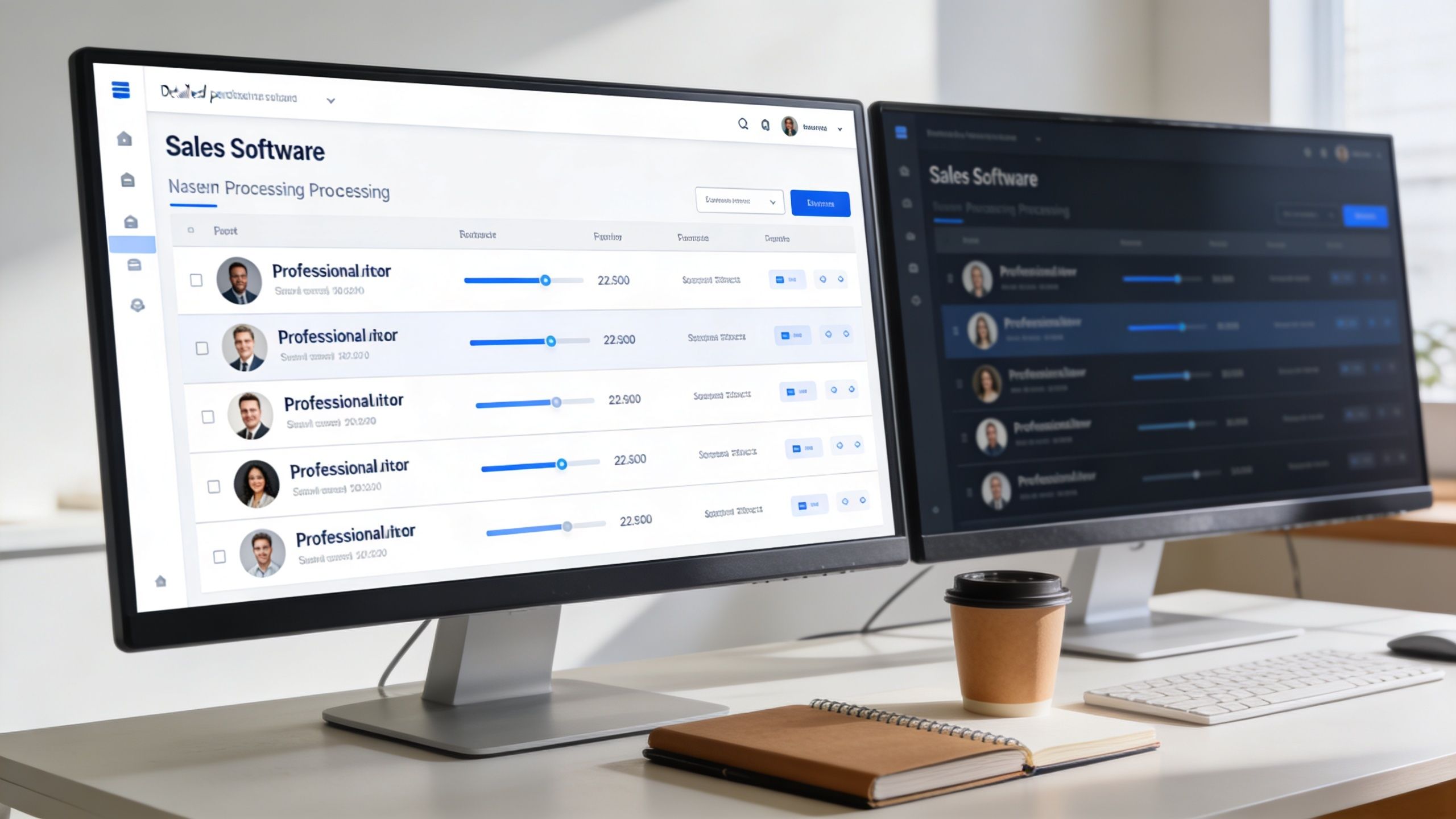
The market usually splits into two categories. Fast browser extensions and broader enrichment platforms. Both have a place. They just solve different problems.
Browser extensions are fast but narrow
A browser extension is useful when reps live inside LinkedIn or Sales Navigator and want immediate lookups on profiles or lead lists. That's the appeal. Low friction, no export step, and quick visibility into whether a number might exist.
This category often works well for:
- Live prospecting during account research
- Quick spot checks on named accounts
- Small-team workflows where reps self-source
- Early-stage outbound where speed matters more than data architecture
If you're comparing options in that category, this round-up of effective Chrome extensions for sales outreach is a useful reference point because it frames extensions in the context of day-to-day rep workflows instead of treating them like standalone magic tools.
The downside is predictable. You often don't know enough about where the number came from, how fresh it is, or whether the record is already duplicated elsewhere in your stack.
Enrichment platforms solve the bigger data problem
The harder problem isn't lookup. It's reliability.
Mobile numbers from LinkedIn-adjacent tools are often incomplete or stale, and the stronger practice is shifting away from one-off lookup tools toward multi-provider enrichment and verification layers so the data is accurate, deduplicated, and ready for CRM use, as explained in LeadLoft's write-up on LinkedIn phone numbers.
That's the difference between a rep tool and a data workflow.
Here's a simple comparison:
| Approach | What it does well | Where it breaks |
|---|---|---|
| Single-purpose extension | Fast profile-level lookups | Weak source visibility, limited normalization |
| Export then enrich | Better for larger lists | Adds process friction if unmanaged |
| Multi-provider enrichment platform | Better fit for verification, dedupe, and CRM readiness | Usually requires ops discipline and setup |
A platform approach makes more sense when teams care about all of the following:
- Standardized company names
- Correct record matching
- Deduplication
- Verified mobile status
- Usable exports into CRM or dialers
- Preserved source context
One example is Scalelist, which combines multiple providers and includes verification plus formatting so records are export-ready instead of raw. That matters more than flashy reveal buttons because sales teams rarely struggle with “seeing a number.” They struggle with knowing whether the number belongs in a live sequence.
For teams evaluating direct-dial vendors specifically, this review of Lusha in 2026 is useful because it highlights the trade-offs around coverage, workflow fit, and cost logic.
A short demo helps clarify how these LinkedIn-driven workflows usually operate in practice:
What to evaluate before you buy
Don't judge phone-number tools by reveal speed alone. Ask these questions:
Source quality
Is the data native, aggregated, inferred, or imported from adjacent systems?Verification layer
Does the tool only surface records, or does it also validate usability?Export cleanliness
Will the number land in CRM in a usable format?Identity resolution
Can the platform reliably map the number to the right person and company?Workflow fit
Does it work inside rep workflows without creating data cleanup work later?
The practical buying question isn't “Can this tool find linkedin phone numbers?” It's “Can this tool produce phone records my team can trust and actually use?”
Why Verification and Formatting Are Non-Negotiable
Finding a phone number feels like progress. In many teams, it's just the start of the cleanup queue.
A raw number creates friction in three places at once. Reps hesitate because they don't trust it. Ops teams hesitate because the field structure is inconsistent. Managers hesitate because activity reporting stops meaning much when the underlying contact data is shaky.
Verification protects rep time
Verification answers basic operational questions before a rep makes contact:
- Is the number active enough to use?
- Is it likely mobile or non-mobile?
- Does it map to the right person?
- Does it duplicate an existing record under a different format?
Without that layer, teams burn dials on dead records or route calls through the wrong contact object in CRM. Neither problem shows up as “bad data” in a dashboard. It shows up as reps saying the list is weak and managers getting inconsistent conversion patterns.
Formatting is part of data quality
Formatting sounds minor until you scale. Country codes vary. Characters get copied in oddly. Parentheses, spaces, plus signs, and local conventions create duplicate records fast.
That's why standardization matters. A sales-ready phone field should be normalized the same way every time, not cleaned up by each rep in their own style. This is the same logic behind broader data standardization practices. If the data enters your stack in inconsistent form, every downstream workflow gets noisier.
A simple formatting checklist helps:
- Normalize country and area code structure
- Strip decorative characters where needed
- Store one canonical version in CRM
- Keep source and enrichment timestamps attached
- Avoid manual edits unless there's an audit trail
Context matters as much as the number
Phone data loses value fast when exported without metadata. A useful benchmark here is that LinkedIn Lead Gen Forms convert at 13%, compared with a 2.35% industry-wide landing page average, according to Expandi's outreach benchmark. But that value disappears if the phone number is passed into CRM without campaign, trigger, and persona tags, because the team can't measure whether the call or follow-up sequence produced the result.
That's the hidden cost of sloppy enrichment. The number may be correct, but the business context is gone.
For individual record checks, lightweight consumer tools can sometimes help validate identity details before outreach. A practical example is this free identity verification tool, which can be useful for manual review scenarios where reps need another sanity check. It's not a substitute for a B2B data workflow, but it shows the broader principle. Verification is always stronger than assumption.
A verified number with source metadata is operationally useful. An unverified number in a blank CRM field is not.
Navigating Privacy, Compliance, and Outreach Etiquette
The compliance question around linkedin phone numbers isn't just whether a rep can see a number. It's whether the team understands where that number came from and what kind of outreach is appropriate.
Recruiters and sales reps often see phone numbers through browser plugins rather than from the LinkedIn profile itself. That distinction matters. Data lineage affects both compliance judgment and outreach tone, as discussed in this community discussion about LinkedIn phone number visibility.
Ask where the number originated
Before outreach, ops should know which bucket the record fits into:
| Source type | What it means for the team |
|---|---|
| Shared on profile | The user chose to expose it in LinkedIn's native environment |
| Surfaced by plugin | A third-party tool is pulling from another data source or model |
| Synced or uploaded data | The number may exist because of a contacts workflow outside the profile |
That source distinction changes risk and messaging. A number voluntarily posted on a profile carries different expectations than one inferred or surfaced by a third-party database.
Outreach etiquette matters
Even when outreach is legally supportable, bad execution still damages trust.
A few practical rules help:
Call when there's business context
If the prospect changed jobs, attended an event, viewed a profile, or engaged recently, the call fits better.Don't open with “I found your personal number”
Introduce yourself, the reason for the outreach, and the relevance.Use SMS sparingly
Texting works best as a follow-up to context, not as a cold first impression in most B2B situations.Keep records of consent and source
If a contact asks where you got their number, your team should have a clean answer.
Responsible outbound starts with data lineage. If your team can't explain where the number came from, it shouldn't be in sequence.
Compliance is an operating discipline
Operational compliance requires moving past general discussions about GDPR and CCPA. The actual work is operational. Can you suppress a contact quickly? Can you remove a number from all active sequences? Can you document why the record was sourced and how it entered your CRM?
Those are process questions, not legal slogans. Teams that handle linkedin phone numbers well usually have tighter list governance, clearer enrichment rules, and fewer rep-side workarounds.
Building an Effective Outreach Workflow with Phone Numbers
The strongest use of linkedin phone numbers isn't a standalone cold call. It's a coordinated sequence where the phone step appears after some signal gives it context.
That's where the data gets converted into pipeline activity instead of random task volume. LinkedIn-style mobile outreach works best as one step in a personalized sequence, and LinkedIn messages have been reported with reply rates as high as 85% in outreach benchmarks. The best practice is to enrich the contact, verify the mobile number, and trigger call or SMS after a contextual signal such as a profile view or event attendance, according to SalesBread's LinkedIn outreach stats.
A sequence that works in practice
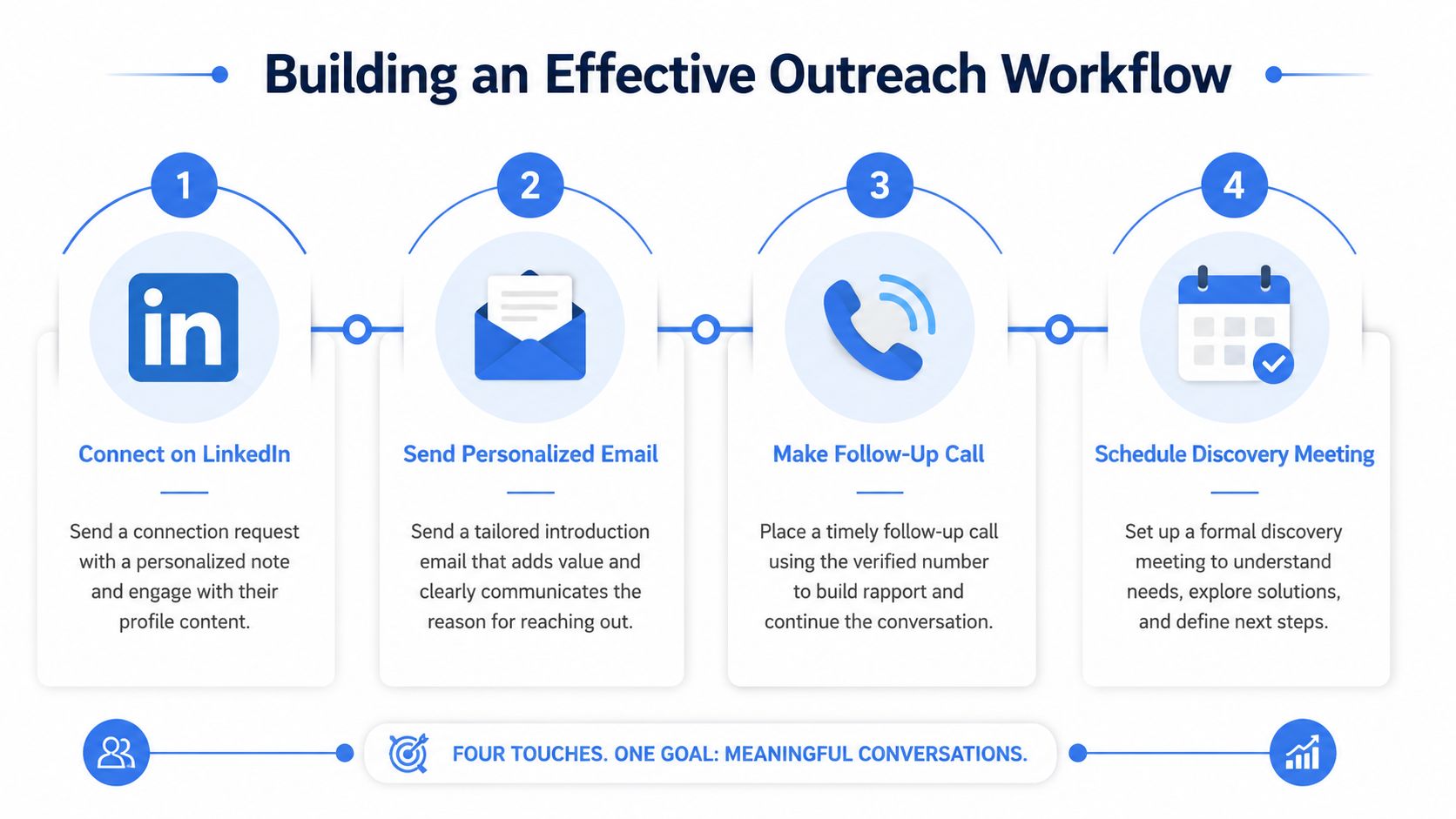
Here's a practical four-touch motion for a verified number:
LinkedIn engagement first
View the profile, engage with a relevant post, or send a connection request with a specific reason.Personalized email second
Reference the company, role, or trigger event. Keep it short.Phone call third
Call after the first digital touch has created familiarity.Voicemail or SMS follow-up
If appropriate, leave a brief message that points back to the email or LinkedIn note.
Example workflow
A rep targets a VP of Sales who recently joined a new company. The rep sees that the prospect viewed their profile after a connection request but didn't reply.
Now the phone number becomes useful.
Touch 1. LinkedIn note
“Congrats on the new role. I work with sales teams that are cleaning up enrichment and routing issues after leadership changes.”
Touch 2. Email
Subject line stays plain. The body references the new role, one operational problem, and one reason for the outreach.
Touch 3. Call
“Hi Sam, this is Alex. I sent a quick note after seeing your move to BrightCore. Reaching out because a lot of teams inherit messy contact data after go-to-market transitions, and I thought it might be relevant.”
Touch 4. SMS if appropriate
“Hi Sam, Alex here. Just left a voicemail. Sent a note by email as well about contact-data cleanup after team changes. Happy to resend in a different format if easier.”
That flow works because each step acknowledges the previous one. The phone touch isn't isolated.
The call should feel like part of an ongoing thread, not a jump scare from an unknown number.
Keep measurement tied to the workflow
A number by itself isn't a KPI. The sequence is.
Track activity in a way that lets the team answer:
- Did the phone step happen after a trigger or before one?
- Was the number verified before outreach?
- Did SMS follow a voicemail or replace it?
- Which persona types respond better to call-first versus call-later sequences?
To ensure sourcing discipline rather than just rep output, call metrics must be closely integrated. A useful framework is this guide on cold calling KPIs to track, especially if managers are trying to separate list quality issues from execution issues.
One more operational caution
Some teams also use disposable or alternate numbers for testing workflows, account creation, or verification steps in ancillary tools. If that's part of your process, keep it separate from customer-facing outreach and handle it deliberately. This guide on how to get anonymous SMS verification is a relevant example of that category. It belongs in internal workflow support, not in prospect communication strategy.
The core lesson stays the same. linkedin phone numbers work when they support a thread that already makes sense to the buyer.
From Prospect to Pipeline The Smart Way
Teams usually think the challenge is finding linkedin phone numbers. The actual challenge is building a process that turns those numbers into trustworthy, usable contact records.
The native LinkedIn path is limited by design. Tool-based discovery helps, but only when the team respects verification, formatting, metadata, and source lineage. That's what keeps reps from calling bad records, ops from cleaning avoidable messes, and managers from making decisions on distorted activity data.
The smartest teams don't treat phone numbers as isolated fields. They treat them as part of a contact system tied to identity resolution, CRM hygiene, and multi-touch sequencing. That's what makes the outreach feel coordinated instead of chaotic.
If your team is trying to move from one-off lookups to repeatable outbound, the bigger goal isn't more numbers. It's a cleaner path from contact discovery to real opportunities. That's the difference between list building and pipeline building, and it's the same discipline behind a stronger sales pipeline process.
If you want a cleaner way to work with LinkedIn-sourced contact data, Scalelist is built for that workflow. It helps teams find and verify professional emails and mobile numbers, standardize records before export, and keep outreach data usable inside the rest of the sales stack.


