


Pipedrive is a solid sales CRM, and it gets far more useful once it is connected to the rest of your sales and marketing stack. The right Pipedrive CRM integrations log your calls, sync marketing activity, send documents and add missing contact data, so reps spend their time selling instead of copying data between tabs.
Without them, your reps are stuck switching between tabs, manually logging calls, and working with incomplete prospect information, all of which are costly inefficiencies that directly impact pipeline velocity. To ensure your Pipedrive setup truly empowers your sales team, it's vital to have an effective CRM integration strategy that defines the steps to a good pipeline. A well-planned integration stack prevents data silos and keeps one clean workflow from lead generation to deal closure.
But with so many apps in the Pipedrive Marketplace, how do you choose the right ones? This guide cuts through the noise. We have curated a comprehensive list of essential integrations across key categories like sales outreach, marketing automation, and reporting.
For each tool, you will find a breakdown of the specific problems it solves for SDR and BDR teams, practical implementation advice, and an honest assessment of its strengths and limitations. This resource is designed to help you build a truly connected and efficient sales machine, complete with direct links and screenshots for every platform discussed. We will help you find the best solutions to build a tech stack that works for you, not against you.
Last updated: 14 November 2026.
Quick picks by job:
- Connect apps without code: Zapier for simple two-step automations, Make for branching scenarios.
- Calls and SMS logged automatically: JustCall or Aircall.
- Email and inbox: Pipedrive for Gmail; Mailchimp or Outfunnel for marketing sync.
- Intent signals: Dealfront for website visitors, G2 Buyer Intent for software buyers.
- Proposals and contracts: PandaDoc.
- Outbound sequences: Klenty.
- Missing emails and mobiles: see getting verified contacts into Pipedrive below.
1. Pipedrive Marketplace (official)
The absolute best starting point for finding Pipedrive CRM integrations is Pipedrive's own official Marketplace. It’s the primary, most trusted source for discovering and installing apps, with a large catalog of tools built or adapted to work with Pipedrive, grouped by revenue stage. Think of it as the App Store for your sales pipeline, where you can find everything from telephony and e-signature tools to advanced marketing automation platforms.
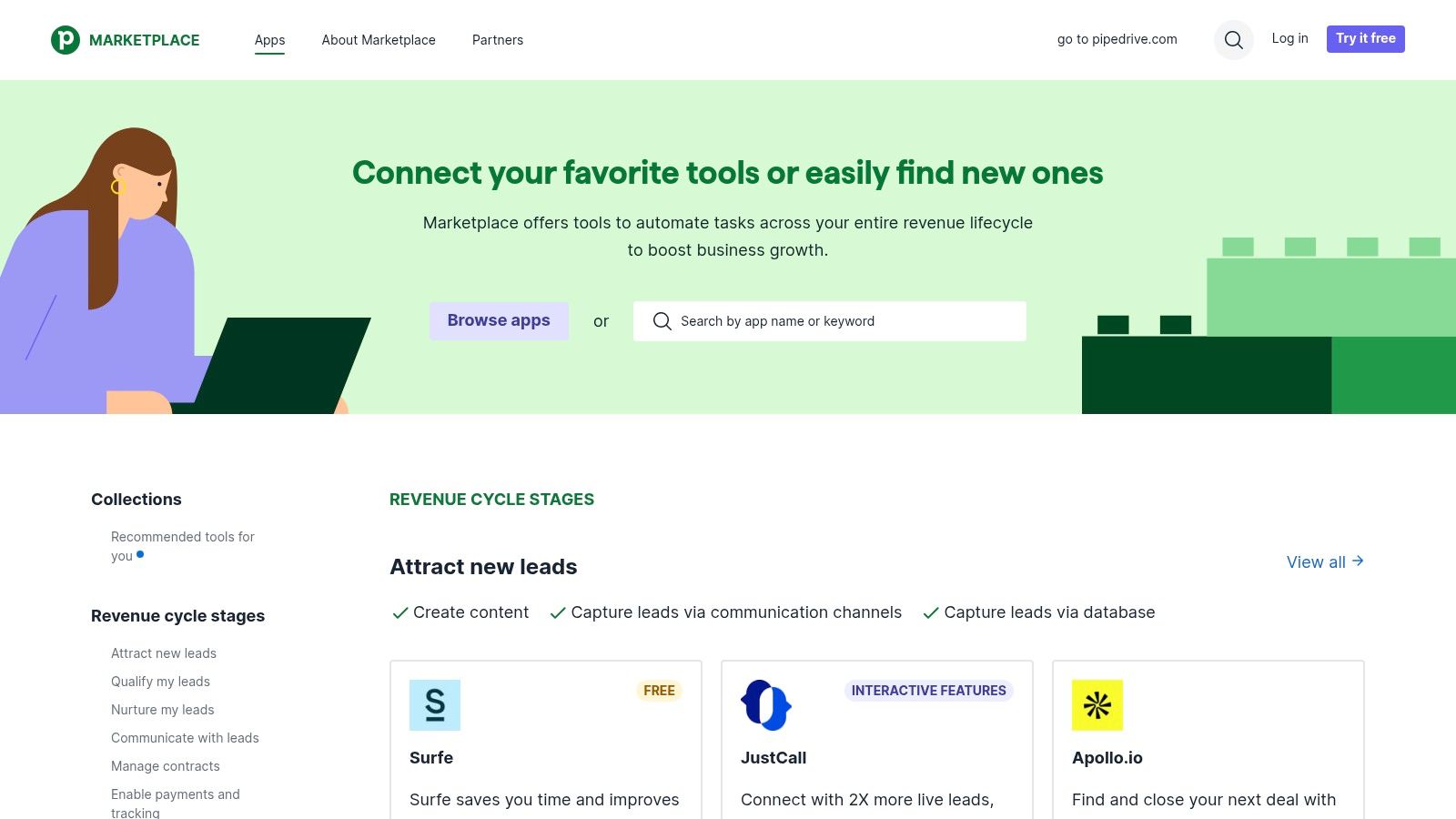
The user experience is designed for simplicity, allowing one-click installations directly from within your Pipedrive account. This streamlined process handles permissions and initial setup, significantly reducing the technical hurdles that often come with connecting third-party software. For those new to the ecosystem, exploring the fundamentals of customer relationship management can provide valuable context for choosing the right tools. The Marketplace organizes apps into logical collections like "Attract new leads" or "Manage contracts," making it easy for non-technical users to find solutions for specific business challenges.
New for 2027 planning: the Marketplace page now announces Pipedrive MCP, which connects an AI assistant to your Pipedrive account (seen on the Pipedrive Marketplace on 14 November 2026). If MCP servers are new to you, start there before you give an assistant write access to your CRM.
Key Details & Use Case
- Primary Use Case: The central hub for any Pipedrive user to discover, vet, and install third-party applications to extend CRM functionality.
- Unique Feature: One-click install process directly from within the Pipedrive UI ensures a smooth, secure, and user-friendly setup.
- Pricing: Access to the Marketplace is free. However, most of the apps listed are from third-party developers and require their own separate, paid subscriptions.
- Limitation: While listings are comprehensive, the quality and depth of user reviews can be inconsistent, sometimes making it difficult to gauge an app's real-world performance without a trial.
Website: https://www.pipedrive.com/marketplace
2. Zapier
When a direct integration isn't available in the Pipedrive Marketplace, Zapier is the usual answer. As a no-code automation platform, it acts as a universal translator between Pipedrive and the rest of your apps (Zapier cites 9,000+ apps on its pricing page, checked 14 November 2026). This is essential for sales teams looking to build custom workflows without writing a single line of code. You can automatically create a Pipedrive deal from a new Calendly booking, add a contact from a Facebook Lead Ad, or send a Slack notification when a deal moves to a new stage.
The platform operates on a simple "trigger-and-action" logic, making it incredibly accessible for non-technical users. A "Zap" (a workflow) starts with a trigger, like a new entry in Google Sheets, and performs an action, such as creating a new person in Pipedrive. For SDRs and BDRs, this means less manual data entry and more time spent on outreach. The vast library of pre-built Zap templates provides a fantastic starting point for common Pipedrive CRM integrations, allowing teams to deploy powerful automations in minutes.
Key Details & Use Case
- Primary Use Case: Connecting Pipedrive to thousands of apps that lack a native integration, automating repetitive data transfer and cross-platform tasks.
- Unique Feature: An extensive library of 9,000+ connectable apps and a user-friendly, visual workflow builder for creating multi-step automations.
- Pricing: The Free plan covers 100 tasks a month and two-step Zaps. Professional starts at $19.99/month billed yearly and adds multi-step Zaps, premium apps and webhooks; price scales with task volume (Zapier pricing page, checked 14 November 2026).
- Limitation: Costs can increase significantly with high task volume, and complex, multi-step Zaps can become difficult to troubleshoot and maintain without proper documentation.
Website: https://zapier.com/apps/pipedrive/integrations
3. Make (formerly Integromat)
For teams that need to build automations beyond simple "if this, then that" logic, Make (formerly Integromat) is an essential tool. It's a powerful integration platform as a service (iPaaS) that uses a visual, drag-and-drop interface to build complex, multi-step workflows. While other tools handle basic connections, Make excels at creating scenarios with multiple branches, conditional logic, and sophisticated error handling, making it a go-to for complex Pipedrive CRM integrations.
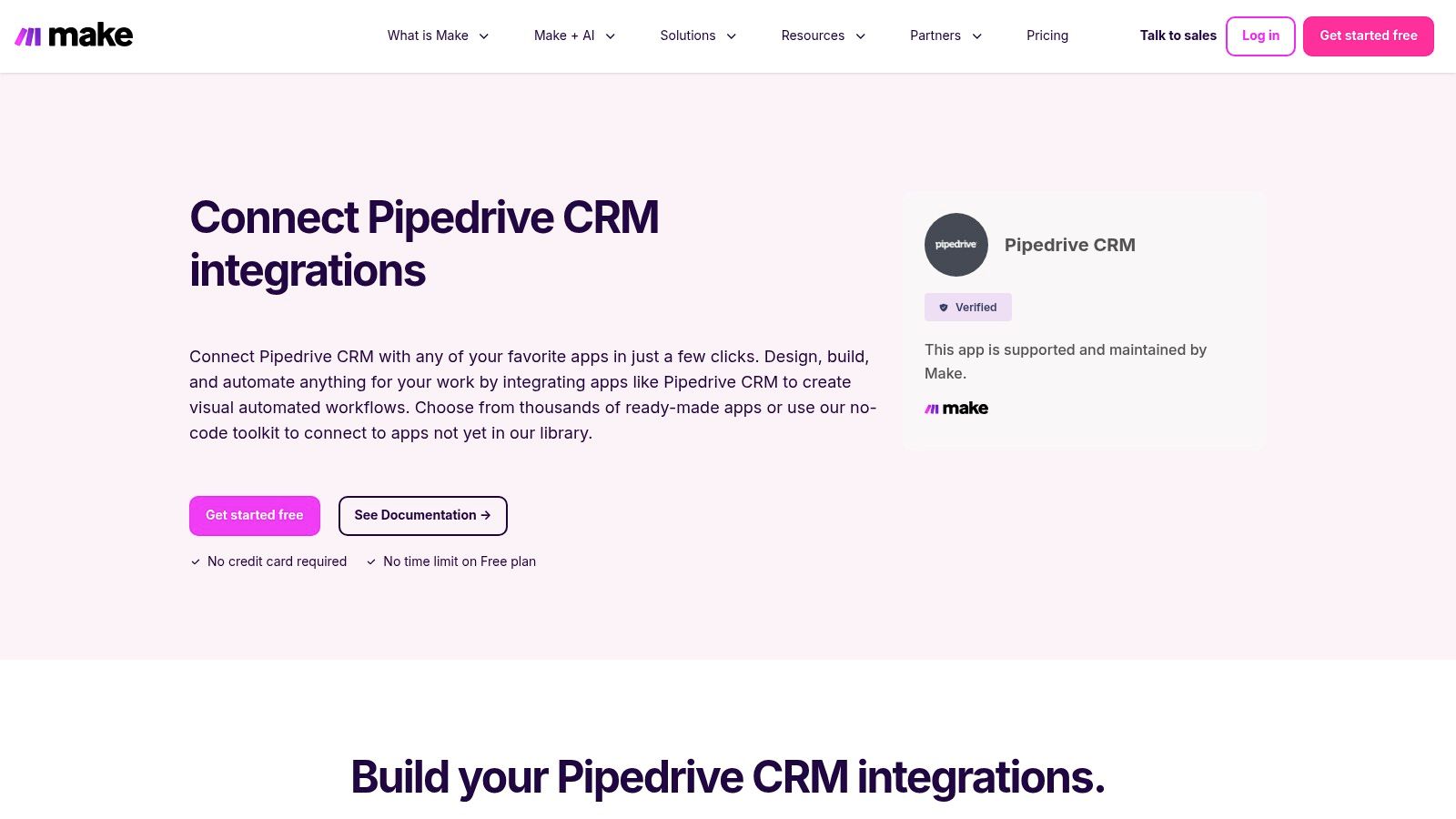
This visual approach allows you to see the entire data flow at a glance, from a trigger in one app to multiple actions and filters across several others. Pipedrive's modules within Make are extensive, covering a wide range of triggers, actions, and searches. This allows for deeply customized automations, such as routing new deals to different pipelines based on form responses or enriching new contacts with data from multiple sources before creating the deal in Pipedrive. It lets RevOps and technical sales leaders build dependable processes that mirror unique business logic.
Key Details & Use Case
- Primary Use Case: Building advanced, multi-step automations involving Pipedrive that require conditional logic, branching (routers), and custom error handling.
- Unique Feature: Its visual, drag-and-drop scenario builder allows for the creation of intricate workflows that are easy to visualize and debug compared to code-based solutions.
- Pricing: Offers a generous free tier that is perfect for testing and building small-scale automations. Paid plans are based on the number of operations per month and offer great value for advanced use cases.
- Limitation: The learning curve is noticeably steeper than simpler automation tools. Building and maintaining complex scenarios requires more technical understanding and administrative oversight.
Website: https://www.make.com/en/integrations/pipedrive
4. Google Workspace Marketplace (Pipedrive for Gmail)
For sales teams deeply embedded in the Google ecosystem, the Pipedrive for Gmail add-on, found in the Google Workspace Marketplace, is an essential tool for workflow efficiency. This official integration brings core CRM functionality directly into the Gmail interface, effectively eliminating the need to constantly switch between your inbox and Pipedrive. It allows users to view contact history, create new deals, add notes, and schedule activities without ever leaving an email thread, dramatically speeding up daily sales tasks.
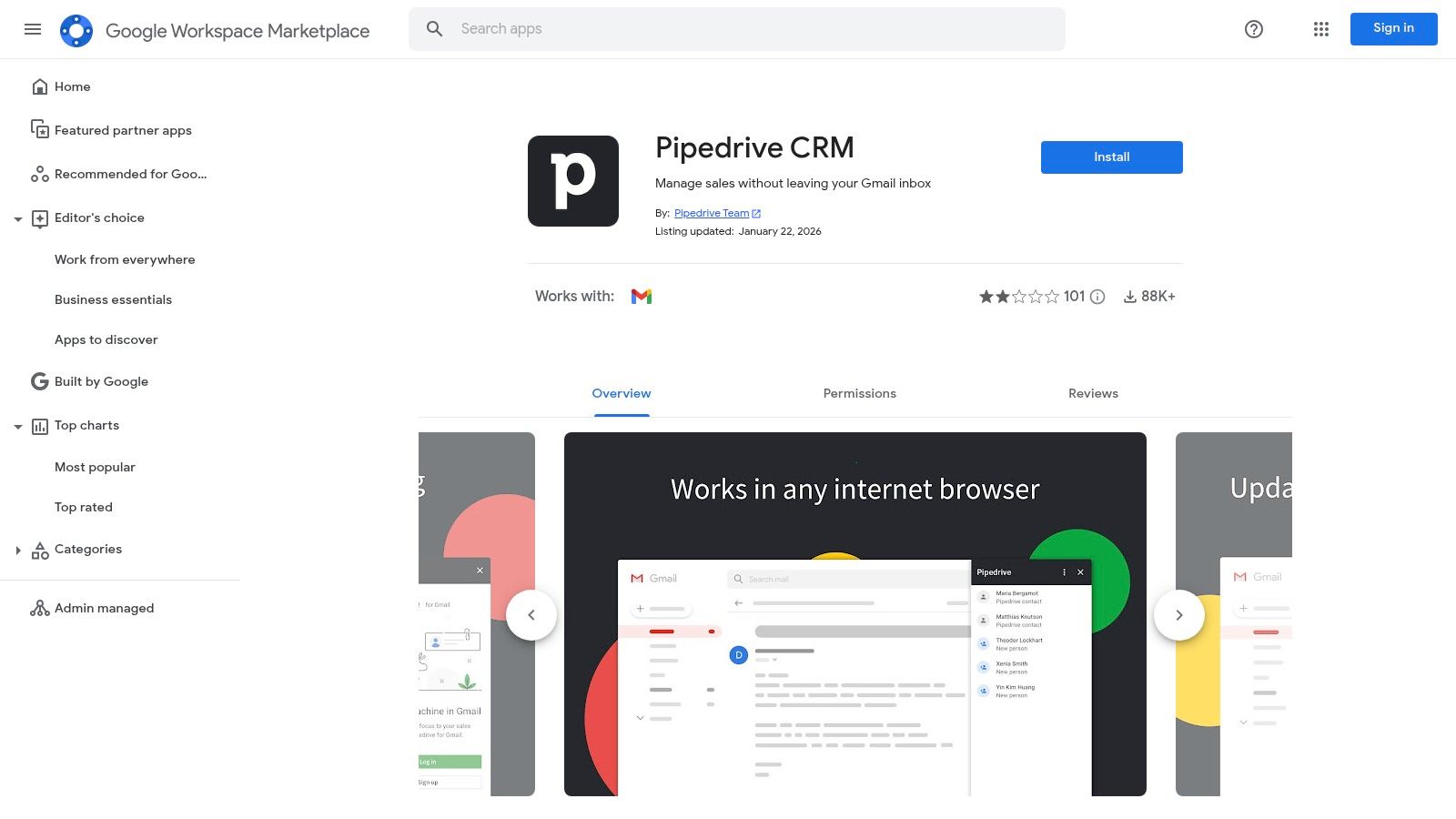
The primary benefit is context. When an email from a lead or customer arrives, the add-on instantly displays all relevant Pipedrive data in a sidebar, providing immediate insight into the relationship's status. This makes it one of the most practical Pipedrive CRM integrations for maintaining momentum. Users can also insert Pipedrive Scheduler links directly into a new email, streamlining the process of booking meetings. For organizations using Google Workspace, administrators can deploy the add-on company-wide, ensuring consistent adoption and a standardized workflow for the entire sales team.
Key Details & Use Case
- Primary Use Case: Adding and updating Pipedrive contacts, deals, and activities directly from the Gmail inbox to reduce context switching and improve data hygiene.
- Unique Feature: The ability to access and manage Pipedrive records within a contextual sidebar in Gmail, providing instant access to a contact's sales history while reading their email.
- Pricing: The add-on itself is free to install from the Google Workspace Marketplace. However, its functionality requires an active Pipedrive subscription.
- Limitation: The integration is strictly focused on Gmail and does not extend to other Google Workspace apps like Calendar or Drive, meaning broader workflow automation may still require other tools.
Website: https://workspace.google.com/marketplace/app/pipedrive_crm/181457847709
5. Outfunnel
For teams struggling to bridge the gap between sales and marketing data, Outfunnel is a purpose-built connector designed to sync Pipedrive with popular marketing automation tools. Unlike general-purpose iPaaS platforms, it focuses only on keeping information flowing between your CRM and tools like Mailchimp, HubSpot Marketing, or web forms. It eliminates the manual data entry that often causes friction and ensures sales reps have a complete picture of a lead's marketing engagement.
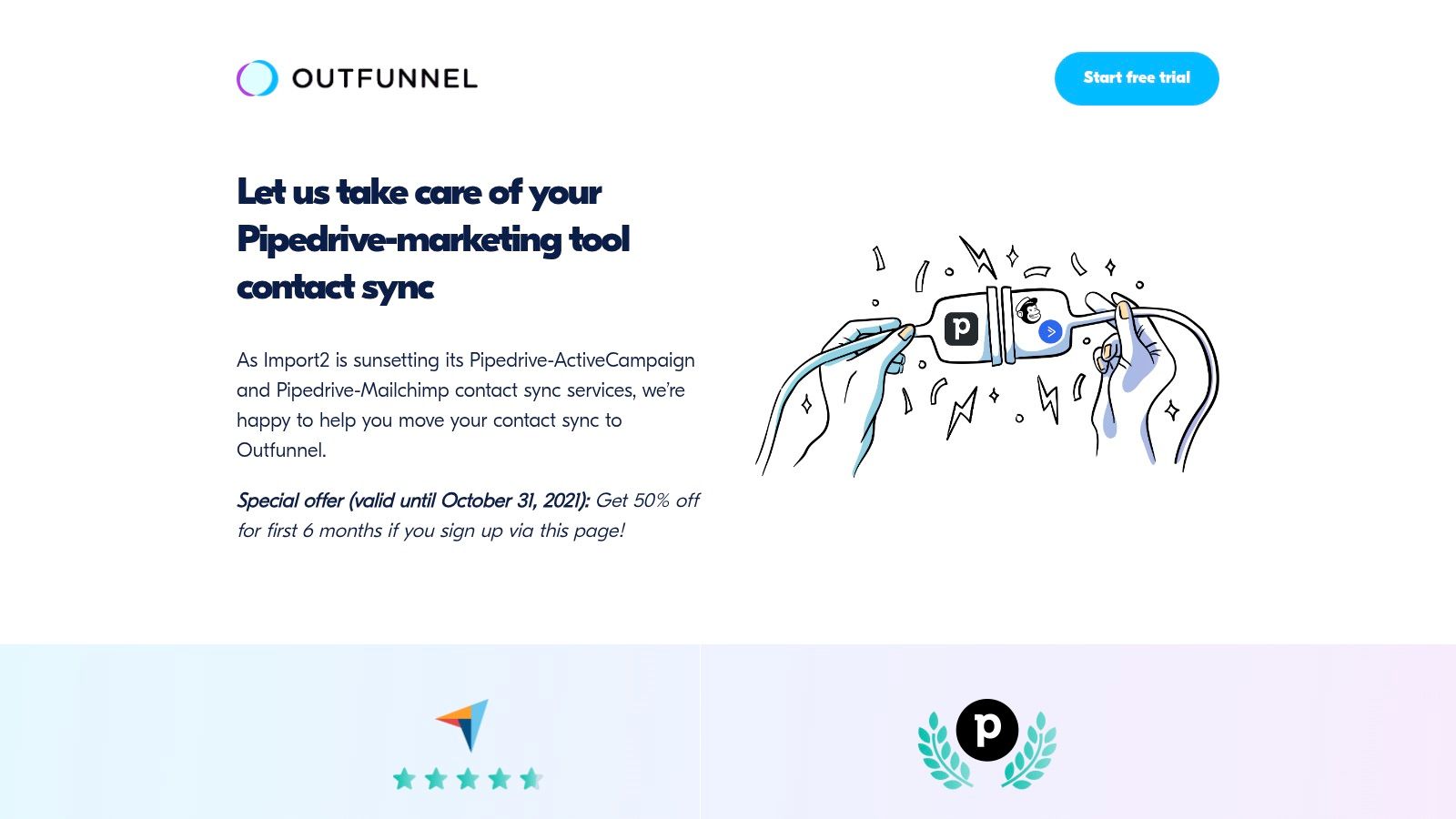
The core function is a two-way contact sync, which keeps marketing lists and Pipedrive contacts perfectly aligned. When a new contact fills out a form or is added to a marketing campaign, they are automatically created or updated in Pipedrive. Crucially, Outfunnel also logs key marketing activities, such as email opens, clicks, and website visits, directly onto the contact’s timeline in Pipedrive. This context is invaluable for SDRs, allowing them to tailor outreach based on real engagement signals.
Key Details & Use Case
- Primary Use Case: Automatically syncing contact data and marketing engagement between Pipedrive and marketing platforms to align sales and marketing efforts.
- Unique Feature: Its deep, two-way sync is pre-configured for sales and marketing workflows, capturing UTM parameters and email activity without complex setup.
- Pricing: Outfunnel offers tiered subscription plans based on the number of connections and synced events, with a free plan available for basic needs.
- Limitation: The platform supports a much narrower range of applications compared to broad connectors like Zapier or Make. Highly complex or multi-step automations may still require a more powerful iPaaS tool.
Website: https://outfunnel.com/pipedrive-data-sync-offer/?utm_source=openai
6. Dealfront (formerly Leadfeeder)
Dealfront, widely known by its former name Leadfeeder, is a powerful go-to-market platform that identifies the companies visiting your website. Its integration with Pipedrive is useful for sales teams because it turns anonymous website traffic into actionable sales opportunities. By pushing identified companies and their browsing activity directly into your CRM, it allows SDRs to capture crucial intent signals and engage with accounts that are actively researching solutions like yours.
The platform enables you to automatically create new organizations, deals, or contacts in Pipedrive when a qualified company visits your site. You can also enrich existing records with this new behavioral data, providing valuable context for your outreach. Page-visit details can be sent as Notes, giving your sales reps a clear picture of a prospect's interests before they even make a call. This level of insight is a core principle of effective data enrichment, allowing for highly personalized and timely follow-ups.
Key Details & Use Case
- Primary Use Case: Identifying anonymous B2B website visitors and automatically creating or updating Pipedrive records with their firmographic and behavioral intent data.
- Unique Feature: The ability to filter website visitors by criteria (e.g., industry, employee count, pages visited) and then automatically trigger CRM actions, focusing sales efforts on the highest-potential leads.
- Pricing: Dealfront requires its own subscription. A free "Lite" plan is available with limited features, while paid plans open up the full Pipedrive integration and advanced capabilities.
- Limitation: The sync behavior and the full range of available features are dependent on your Dealfront subscription level, and some of the platform's more advanced go-to-market tools are not accessible via the Pipedrive integration alone.
Website: https://www.dealfront.com/integrations/pipedrive
7. JustCall
JustCall is a cloud phone and two-way SMS platform that embeds a dialer directly into the Pipedrive interface, turning it into a communications hub. For sales teams that live inside their CRM, this integration eliminates the friction of switching between apps to make calls or send texts. It’s designed to automatically log every interaction, ensuring that all calls, SMS messages, and voicemails are captured as activities on the correct contact, organization, or deal record.
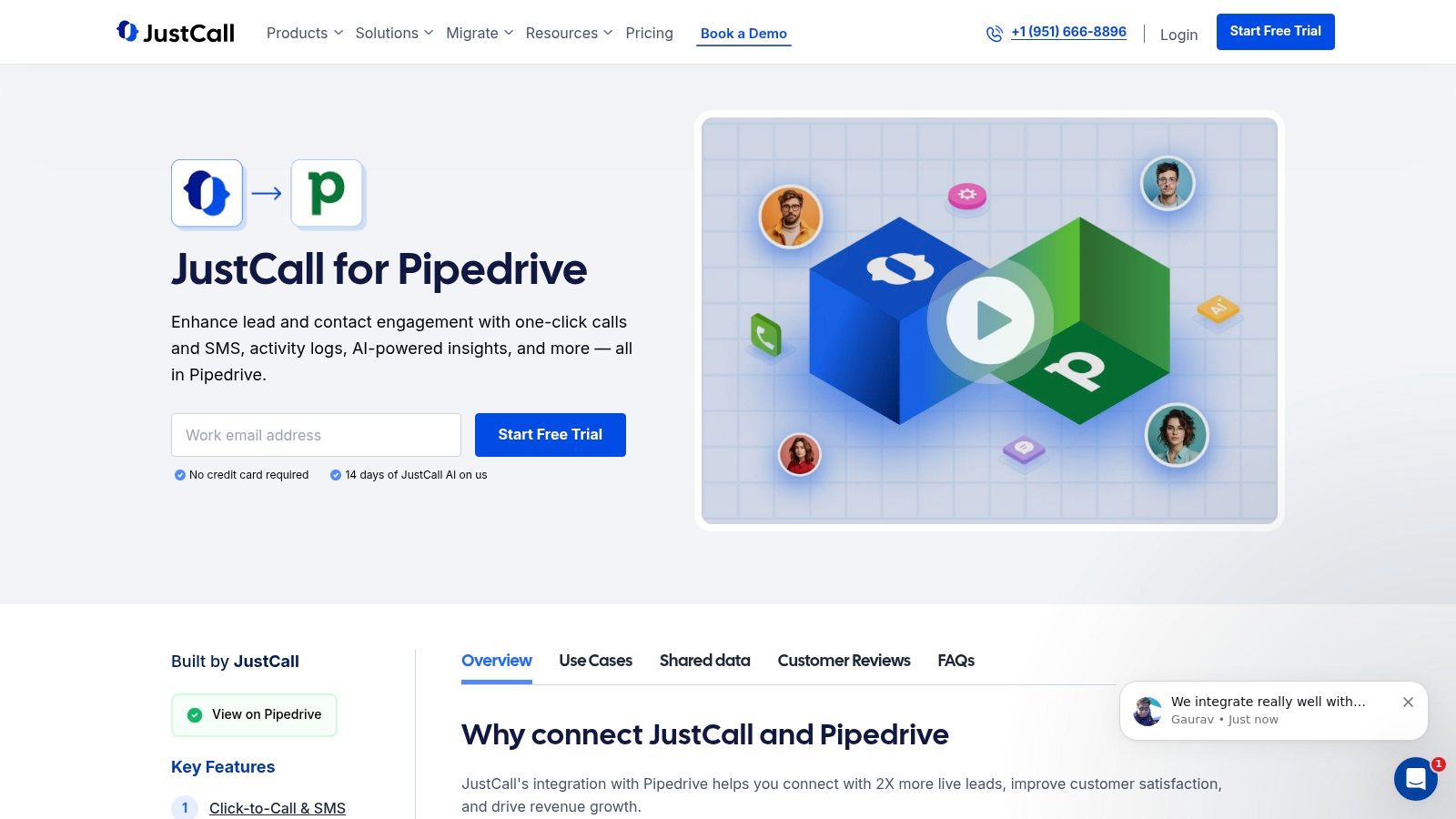
The primary benefit is the massive time savings and data accuracy gained by removing manual logging from a rep’s workflow. Features like click-to-call, call recordings, and AI-driven call summaries streamline outreach and enable better coaching. The mobile app integration is also a key advantage, allowing reps to maintain CRM-centric workflows even when they are away from their desks, making it a standout among Pipedrive CRM integrations for telephony.
Key Details & Use Case
- Primary Use Case: Enabling sales teams to execute high-volume calling and SMS campaigns directly from Pipedrive, with all activities logged automatically.
- Unique Feature: The embedded dialer offers two-way SMS and AI-powered call summaries, providing deeper context and coaching insights within the CRM activity timeline.
- Pricing: Requires a JustCall subscription. The Team plan lists at $39 per user/month billed annually, with a 2-license minimum (a temporary Black Friday discount was also showing; JustCall pricing page, checked 14 November 2026).
- Limitation: As a cloud-based telephony service, call quality can sometimes be dependent on regional carrier routing and internet stability.
Website: https://justcall.io/integration/pipedrive/
8. Aircall
Aircall provides a cloud-based business phone system designed specifically for sales and support teams, with one of the most complete native Pipedrive CRM integrations available. It turns Pipedrive into a call center hub, allowing teams to click-to-dial directly from a contact record, automatically log every call and voicemail, and sync contact information instantly. This setup is ideal for SDRs who need a coordinated, high-volume calling solution where all activity is captured in the CRM without manual data entry.
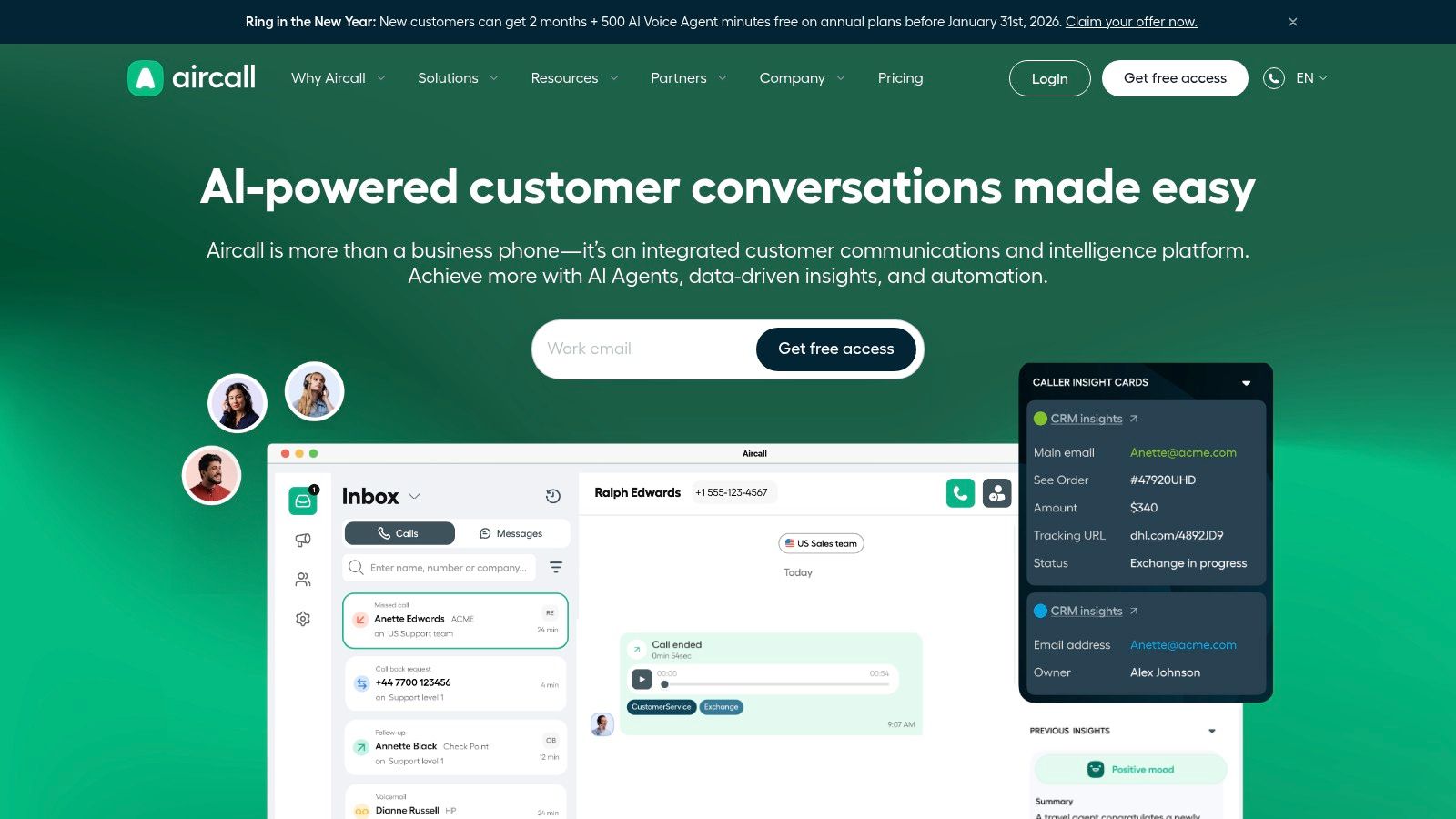
The integration’s strength lies in its two-way communication. When a call comes in, Aircall displays an "Insight Card" with essential Pipedrive data, giving reps immediate context before they even answer. If the caller is a new lead, Aircall can automatically create a new contact in Pipedrive, ensuring no opportunity is missed. This level of automation and data synchronization makes it an excellent choice for teams focused on call queues, coaching, and maintaining a unified record of all customer interactions.
Key Details & Use Case
- Primary Use Case: Equipping sales teams with a cloud-based phone system that deeply integrates with Pipedrive for automated call logging, click-to-dial functionality, and contextual caller information.
- Unique Feature: The "Insight Card" feature provides a real-time screen-pop of key Pipedrive contact details during an incoming call, giving reps instant context for more effective conversations.
- Pricing: Aircall requires its own subscription, which is separate from Pipedrive. Pricing is per-user, with different tiers available based on features like call queuing and analytics.
- Limitation: The initial setup requires administrator rights in both Pipedrive and Aircall, which can be a hurdle in larger organizations. Costs can also accumulate quickly as you add more users and phone numbers.
Website: https://aircall.io
9. PandaDoc
PandaDoc is a leading document automation platform that excels at streamlining the creation, delivery, and tracking of proposals, quotes, and contracts. For sales teams using Pipedrive, this integration removes the tedious, error-prone process of manually creating sales documents. It allows account executives to generate professional, personalized documents directly from a Pipedrive deal, pulling in contact and product data automatically.
The integration offers a powerful two-way sync, which is its key differentiator. When a prospect opens, views, or signs a document, the status is automatically updated within the corresponding Pipedrive deal timeline. This provides complete visibility into the document lifecycle without leaving the CRM. Automations can even be configured to move a deal to the next stage once a contract is signed, ensuring the pipeline is always up-to-date and reducing administrative work for the sales rep.
Key Details & Use Case
- Primary Use Case: Accelerating the quote-to-close process by generating, sending, and tracking sales documents like proposals and contracts directly from Pipedrive deals.
- Unique Feature: Two-way data sync for products, pricing tables, custom fields, and document statuses, which automates deal progression based on recipient actions.
- Pricing: The Pipedrive integration is available on PandaDoc's Business plan and higher tiers, which come with a per-seat cost.
- Limitation: The cost can be a significant factor for larger teams, as the required Business plan is priced per user and is more expensive than their entry-level eSignature plan.
Website: https://www.pandadoc.com/pandadoc-pipedrive-integration/
10. Mailchimp
Mailchimp is one of the most popular email marketing platforms, especially for SMBs, and its official Pipedrive integration provides a straightforward way to sync contacts for targeted campaigns. This connection allows sales teams to export and synchronize contacts based on Pipedrive filters, turning CRM data into segmented email audiences for newsletters, promotions, or nurturing sequences. It bridges the gap between sales activities and marketing outreach, ensuring that leads and customers receive relevant communications based on their status in the pipeline.
The primary strength of this integration lies in its simplicity for audience building. For instance, a sales manager can create a filter in Pipedrive for "Lost Deals in Q3" and sync that segment directly to a Mailchimp audience for a re-engagement campaign. This native setup is one of the more accessible Pipedrive CRM integrations for teams that need basic email marketing capabilities without the complexity of a full marketing automation suite. While campaign performance is tracked within Mailchimp, getting that engagement data back into Pipedrive might require a more advanced tool.
Key Details & Use Case
- Primary Use Case: Syncing contacts from Pipedrive to Mailchimp to build segmented email lists for targeted marketing campaigns and newsletters.
- Unique Feature: The ability to use Pipedrive's powerful filtering system to create dynamic and highly specific marketing audiences in Mailchimp with minimal manual effort.
- Pricing: Mailchimp’s Free plan covers businesses with under 250 contacts. Paid plans scale with contacts and features; Essentials starts at $16/month and Standard at $28/month (Mailchimp pricing page, checked 14 November 2026).
- Limitation: The native integration is primarily one-way (Pipedrive to Mailchimp). To log email opens, clicks, or unsubscribes as activities on a Pipedrive contact record, a connector like Outfunnel or Zapier is often necessary.
Website: https://mailchimp.com/integrations/pipedrive/
11. G2 Buyer Intent + Pipedrive (via G2)
For sales teams whose ideal customer profile (ICP) actively researches software solutions, the G2 Buyer Intent integration is a powerful tool for surfacing high-intent leads. It connects G2’s rich intent data, which captures which companies are researching your products or competitors, directly to your Pipedrive CRM. This allows SDRs to prioritize outreach to accounts that are already in a buying cycle, significantly improving timing and relevance.
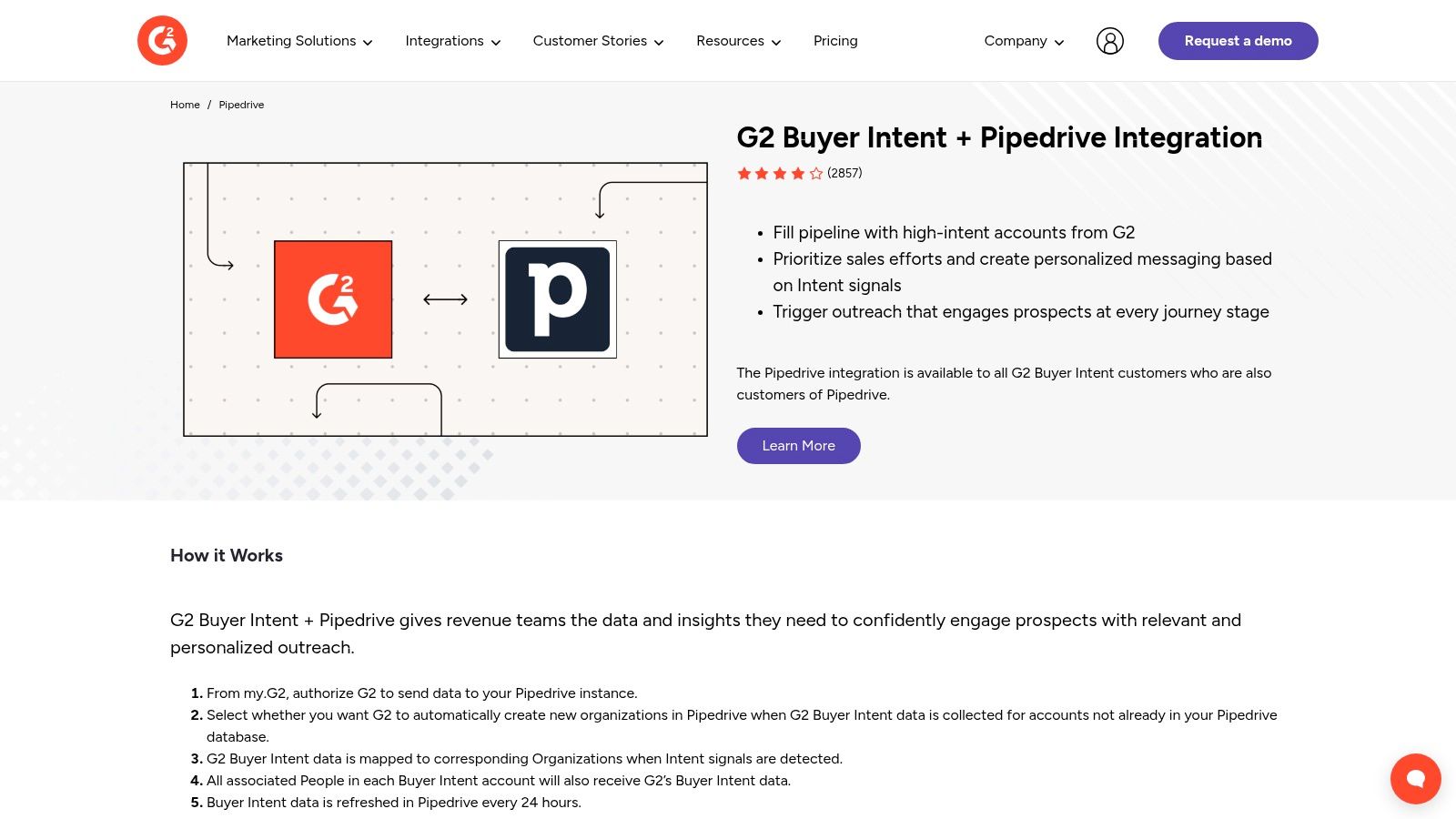
The integration works by syncing this valuable data into Pipedrive organizations and people, with the option to automatically create new records for accounts showing intent. Setup is managed through G2’s Integration Hub, which allows for custom field mapping to ensure the data flows cleanly into your existing CRM structure. This direct pipeline of pre-qualified, in-market accounts helps teams focus their efforts where they will have the most impact, moving beyond cold outreach to engage with genuinely interested prospects.
Key Details & Use Case
- Primary Use Case: Identifying and prioritizing accounts that are actively researching your product category or competitors on G2 by syncing intent signals directly into Pipedrive.
- Unique Feature: Daily refresh of intent data ensures sales teams have the most current information, with the ability to auto-create new Pipedrive organizations from these signals.
- Pricing: The integration itself is free to set up, but it requires a paid G2 Buyer Intent subscription to access the necessary data.
- Limitation: The value of this integration is entirely dependent on whether your target audience uses G2 for software research. If they don't, the data will be sparse and less actionable.
Website: https://partnerhub.g2.com/integrations/pipedrive
12. Klenty
Klenty is a sales engagement platform specifically designed for high-performing outbound teams that need to automate and scale their outreach. Its native Pipedrive integration creates a powerful, two-way sync that allows sales reps to manage email sequences and multi-channel cadences without ever losing track of engagement data in the CRM. It’s an ideal solution for teams whose outbound lead generation strategies are heavily reliant on structured sequences and require every touchpoint to be meticulously logged.

The integration enables users to import contacts directly from Pipedrive filters into Klenty cadences and automatically pushes all engagement activities (email opens, clicks, replies) back to the corresponding contact or deal. This ensures that Pipedrive remains the single source of truth for all prospect interactions. Reps can even add prospects to a Klenty cadence directly from the Pipedrive interface, streamlining workflows and minimizing context switching between platforms.
Key Details & Use Case
- Primary Use Case: Automating multi-channel sales cadences (email, calls, LinkedIn) while maintaining a perfect, real-time activity sync with Pipedrive.
- Unique Feature: The ability to trigger actions in Pipedrive based on prospect engagement in Klenty, such as creating a deal when a prospect replies positively.
- Pricing: The Pipedrive integration is available on Klenty's "Growth" plan and higher. The entry-level "Startup" plan does not include CRM integration.
- Limitation: While excellent for sales engagement, it has fewer native integrations with other marketing or support tools compared to a broader iPaaS solution like Zapier.
Website: https://www.klenty.com
Getting verified contacts into Pipedrive
Every integration above works on the records already in Pipedrive. If a person has no work email, the sequence bounces; if there is no direct number, the dialer rings a switchboard. So before you add more apps, check how many of your open deals have a reachable contact.
Pipedrive’s Marketplace has an “Enrich lead data” collection for this. There is no native Scalelist app for Pipedrive: you connect Scalelist through Zapier, where the Scalelist app has two actions (Email Finder and Mobile Finder), or through the Scalelist REST API. A common Zap: when a new person is added in Pipedrive, run Scalelist Mobile Finder, then update that person with the number. Every email is verified before it is returned and labelled Valid or Risky. You pay 1 credit per email found and 10 per mobile found, and a miss costs nothing.
To build the list in the first place, describe the people you want in one sentence in the Scalelist AI Lead Finder (for example, “Heads of Operations at US manufacturers with 200 to 1,000 employees”), then export a CSV and import it into Pipedrive. For records you already have, see our guide to CRM enrichment.
12 Pipedrive CRM Integrations. Comparison
| Tool | Core use / Key features | Best for 👥 | Pricing & value 💰 | Quality / Ease ★ | Unique selling point ✨ / 🏆 |
|---|---|---|---|---|---|
| Pipedrive Marketplace (official) | Large app catalog, one‑click installs, categorized collections | 👥 Pipedrive admins & non‑technical buyers | Free to browse; app costs vary 💰 | ★★★★☆ | 🏆 Official, trusted app store; smooth in‑app installs ✨ |
| Zapier | No‑code automations, huge app gallery, templates & webhooks | 👥 Teams needing fast point‑to‑point automations | Free tier; scales with task volume 💰💰 | ★★★★☆ | ✨ Massive integrations + mature templates |
| Make (Integromat) | Visual drag‑and‑drop scenarios, routers, error handling | 👥 Power users & ops building complex flows | Generous free tier; great value for complexity 💰 | ★★★★☆ | ✨ Advanced branching & error handling |
| Google Workspace Marketplace (Pipedrive for Gmail) | Pipedrive actions inside Gmail, scheduler inserts, activity tracking | 👥 Google Workspace users who live in Gmail | Free add‑on; features may depend on Pipedrive plan 💰 | ★★★★☆ | ✨ Native inbox CRM actions; reduces tab switching 🏆 |
| Outfunnel | Two‑way contact sync, logs email engagement & UTMs to Pipedrive | 👥 Sales + marketing teams wanting simple sync | Paid plans; simpler/cheaper than building iPaaS 💰💰 | ★★★★☆ | 🏆 Sales/marketing‑focused two‑way sync & engagement logging ✨ |
| Dealfront (Leadfeeder) | Website visitor ID, send page visits & orgs to Pipedrive | 👥 ABM & intent‑driven SDR teams | Paid; feature set tied to subscription level 💰💰 | ★★★★☆ | 🏆 B2B intent signals and site behavior in CRM ✨ |
| JustCall | Embedded dialer, click‑to‑call, two‑way SMS, auto logging | 👥 Remote sales teams needing calling + SMS | Per‑seat pricing; minimum seats on some plans 💰💰 | ★★★★☆ | ✨ Click‑to‑call + auto logging + AI call summaries |
| Aircall | Business phone system, contact sync, auto call logging | 👥 SDR call queues & phone‑heavy teams | Per‑seat + phone number costs 💰💰 | ★★★★☆ | 🏆 Predictable CRM integration & screen‑pop context ✨ |
| PandaDoc | Proposals, CPQ, e‑signatures with two‑way CRM sync | 👥 AEs & RevOps speeding quote‑to‑close | Requires higher tiers for CRM; per‑seat pricing 💰💰💰 | ★★★★☆ | ✨ CPQ + bi‑directional product/field sync for deals 🏆 |
| Mailchimp | Export/sync contacts, build audiences, campaign tracking | 👥 SMB marketers & small sales teams | Free tier; costs scale with contacts 💰💰 | ★★★★☆ | ✨ Easy audience builds from Pipedrive filters |
| G2 Buyer Intent + Pipedrive | Daily buyer‑intent data into orgs/people, auto‑create records | 👥 Teams whose ICP researches on G2 | Requires paid G2 Buyer Intent plan 💰💰 | ★★★★☆ | 🏆 High‑intent account signals routed into CRM ✨ |
| Klenty | Email sequences, multi‑channel cadences, activity sync | 👥 Outbound SDRs running sequence campaigns | Paid; CRM sync on higher tiers 💰💰 | ★★★★☆ | ✨ Sequence-driven outreach with tight Pipedrive sync |
Building Your Integrated Pipedrive Powerhouse
You've now seen the main types of Pipedrive CRM integrations, from foundational connectors like Zapier and Make to specialized tools for telephony, marketing automation, and sales intelligence. The central theme is clear: Pipedrive, while a capable CRM on its own, achieves its full potential when it becomes the central hub of a connected, automated sales technology stack. Simply choosing a tool is not the goal; the objective is to build a connected setup where data flows freely, manual tasks are eliminated, and your sales team is empowered with the context they need to win.
Each integration we've covered addresses a specific point of friction in the sales cycle. For instance, tools like JustCall and Aircall solve the challenge of manual call logging and disconnected communication, while Outfunnel and Mailchimp bridge the critical gap between marketing activities and sales pipelines. The key takeaway is that you don't need to implement everything at once. The most effective approach is a strategic one, focused on solving your most significant bottleneck first.
A Strategic Framework for Integration
Before diving into the Pipedrive Marketplace, take a moment to audit your current sales process. Ask your team critical questions to identify the most impactful starting point:
- Where is the most time wasted? Is it logging calls, manually updating contact data, or searching for prospect information across different platforms? This points toward telephony or data enrichment integrations.
- What is the biggest data gap? Are reps lacking context on a prospect's website activity or their engagement with marketing campaigns? This suggests a need for tools like Dealfront or Outfunnel.
- How clunky is your proposal and closing process? If creating, sending, and tracking documents is a major slowdown, an integration like PandaDoc should be your top priority.
- Is your outbound sequencing disconnected from your CRM? For teams running structured outreach, a dedicated sales engagement platform like Klenty that syncs cleanly is non-negotiable.
Answering these questions transforms your integration strategy from a random collection of tools into a targeted solution designed to generate immediate ROI. Start with one or two high-impact integrations, master them, measure their effect on your team's productivity and key metrics, and then expand from there. This incremental approach ensures user adoption and prevents the overwhelming feeling of "tool fatigue."
The Unifying Thread: High-Quality Data
Ultimately, the success of all your Pipedrive CRM integrations hinges on a single, non-negotiable element: the quality of the data flowing through them. An automated workflow is only as reliable as the contact information it uses. A perfectly crafted email sequence sent to an outdated address is useless, and a dialer calling disconnected numbers only wastes your SDRs' valuable time. This is why a clean, verified, and enriched data source is not just a "nice-to-have"; it's the foundational layer upon which your entire integrated powerhouse is built.
By starting with accurate data, you ensure every subsequent action taken by your integrated tools has the highest possible chance of success. Your marketing automation hits the right inbox, your sales engagement platform connects with the right decision-maker, and your CRM becomes a truly reliable single source of truth. This focus on data integrity is what separates a functional tech stack from a high-performing one. Building this integrated Pipedrive ecosystem is a journey, not a destination, but with a strategic approach and a commitment to quality data, you can create a sales engine that is truly built to scale.
Need the contacts before the integrations? Scalelist is an AI Lead Finder: describe the people you want in one sentence and get verified work emails and mobile numbers, ready to export and import into Pipedrive or send through Zapier. Start building your list on Scalelist. New accounts get 100 free credits for 7 days.
FAQ: Pipedrive CRM integrations
How do I add an integration to Pipedrive?
Find the app in the Pipedrive Marketplace, install it from your Pipedrive account and approve the permissions it asks for. Some apps, such as dialers, need admin rights on both sides. Apps that are not in the Marketplace connect through Zapier, Make or Pipedrive’s API.
Do Pipedrive integrations cost extra?
Browsing and installing from the Marketplace costs nothing, but most apps need their own subscription. Zapier’s Free plan covers 100 tasks a month and Professional starts at $19.99/month billed yearly; JustCall lists its Team plan at $39 per user/month billed annually (both checked 14 November 2026).
Does Scalelist integrate with Pipedrive?
Not natively. HubSpot is the only CRM Scalelist pushes leads to directly. For Pipedrive, use the Scalelist Zapier app (Email Finder and Mobile Finder actions) or the Scalelist REST API, or export a CSV from Scalelist and import it into Pipedrive.
Which Pipedrive integrations matter most for an outbound SDR team?
Start with three: a dialer that logs calls automatically (JustCall or Aircall), a sequencer that syncs activity back (Klenty), and a source of verified work emails and direct mobiles so those tools have someone to reach. Add Zapier or Make for the gaps.
Can I connect Pipedrive to an AI assistant?
Yes. Pipedrive’s Marketplace page announces Pipedrive MCP for connecting an AI assistant to your account (seen 14 November 2026). Scalelist also runs an MCP server, so the same assistant can build a prospect list from a description and enrich a CSV before you import it.


